Tag: google my business

  • How to List My Business on Google?

    How to List My Business on Google?

    Your 2025 Roadmap to Better Visibility, More Customers & Local Growth

    Why Listing Your Business on Google Matters in 2025

    In today’s digital-first world, being visible online isn’t a luxury — it’s a necessity. If you’re wondering how to list my business on Google in 2025, you’re already a step ahead of many competitors. With millions of users searching for local services daily, appearing on Google Search and Maps can significantly influence customer decisions and drive real revenue.

    At Listbusinessprofile, we help business owners like you simplify the entire process of getting found on Google. Whether you’re a startup, service provider, or brick-and-mortar shop, this guide will show you how to take full control of your online visibility.
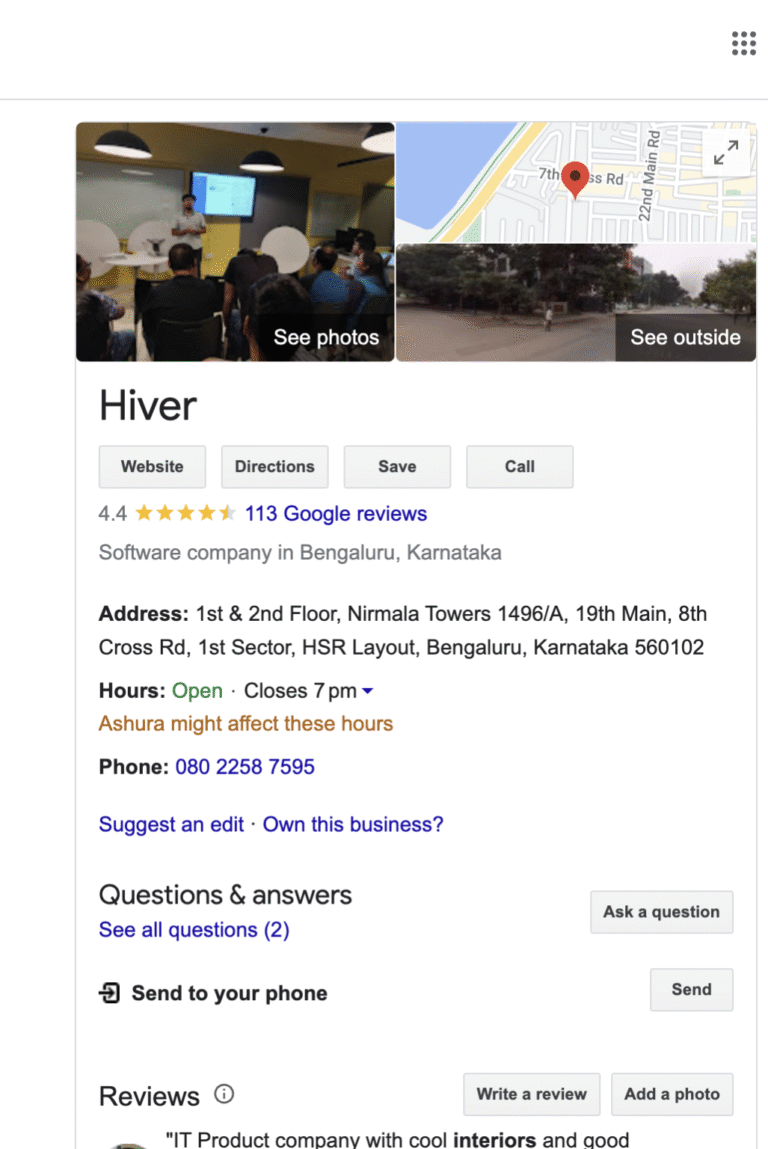
    Google My Business -Listbusinessprofile

    What Does It Mean to List My Business on Google?

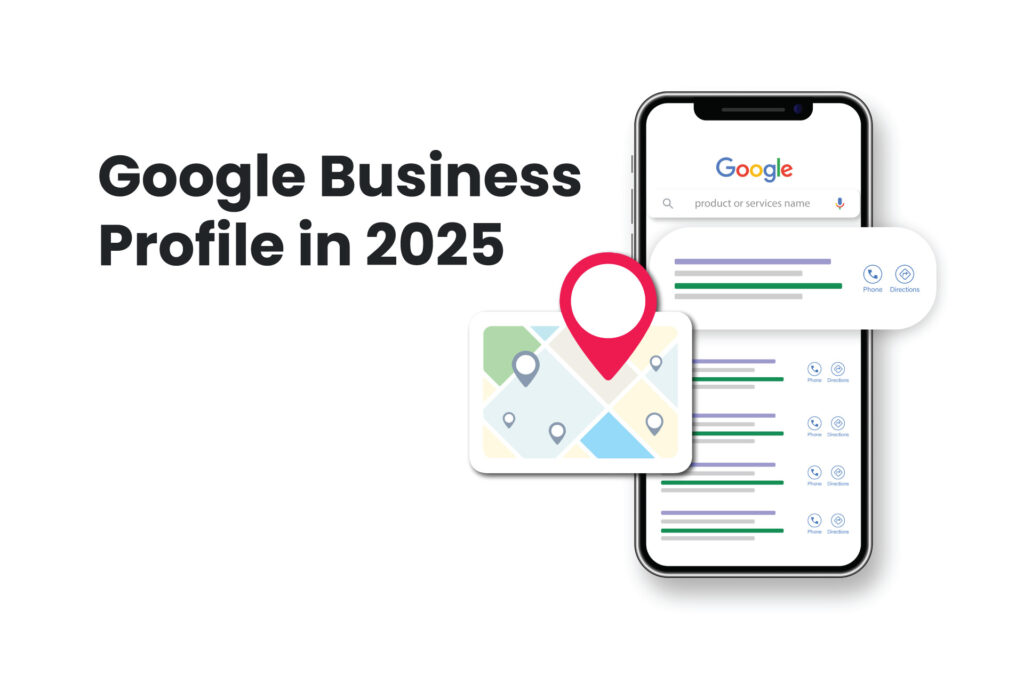
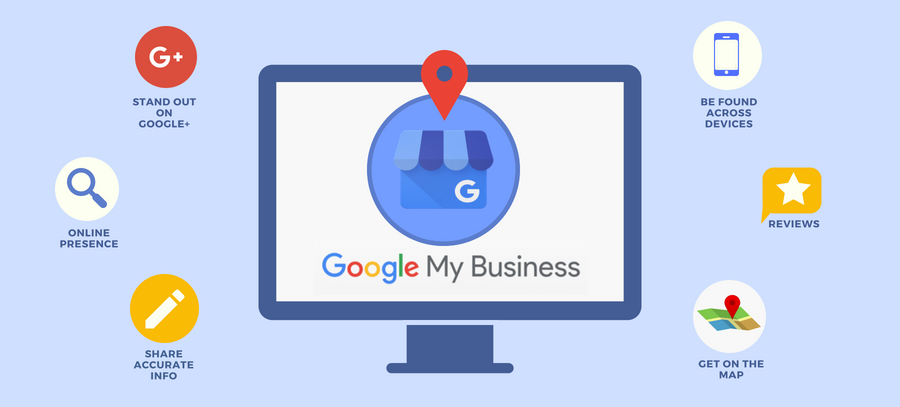
    Before we dive into the steps, let’s clarify the basics. Listing your business on Google means creating a Google Business Profile (formerly known as Google My Business) — a digital storefront that showcases your brand directly in search results and on Google Maps.

    This listing includes your business name, address, phone number, hours, services, photos, reviews, and more. It allows potential customers to find, contact, and visit you — both online and in-person.

    Step-by-Step Guide to List Your Business on Google

    Want your business to appear on Google Search & Maps in 2025? It all starts with a fully optimized Google Business Profile!

    Step 1: Create a Google Business Profile

    Start by visiting the official Google Business Profile Manager. Use your Google account to sign in.

    Click on “Add your business to Google” and begin entering your business name and category. This is the foundation for your Google business listing, so make sure the details are accurate and consistent with your website and other online directories.

    Step 2: Enter Essential Business Information

    You’ll now input your business address, service area (if applicable), contact details, and business hours.

    Wondering if you can list a business on Google Maps without a physical location? Yes, you can! Google allows “service area businesses” to show up on Maps even without a storefront — perfect for mobile services, consultants, or at-home businesses.
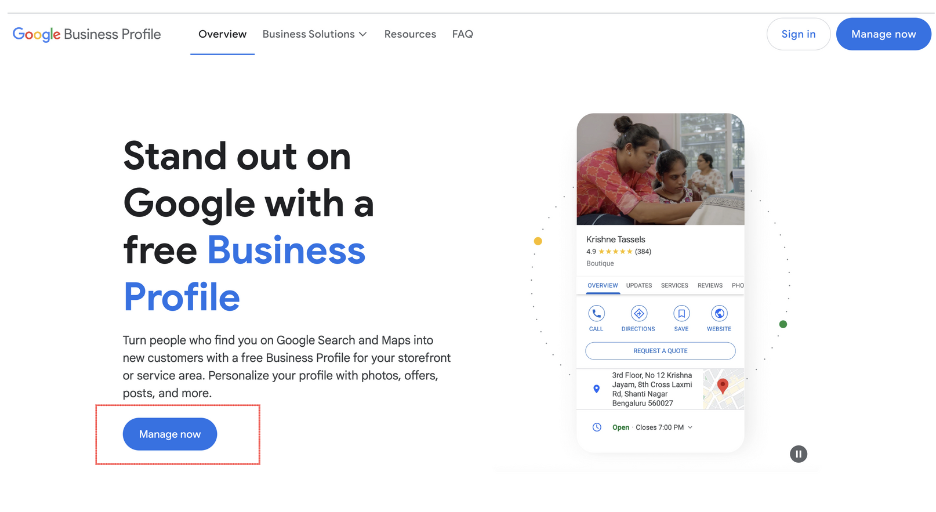
    google business profile creation -listbusinessprofile

    Step 3: Verify and Claim Your Business

    To claim my business on Google, you must verify ownership. Depending on your setup, Google may offer one or more verification methods:

    • Postcard (most common)

    • Phone call

    • Email

    • Instant verification (for some existing Google accounts)

    Once verified, your Google business account setup is officially live and visible to the public.

    Step 4: Optimize Your Google Business Profile

    Here’s where many businesses fall short — they create the listing, but forget to optimize it. At Listbusinessprofile, we specialize in Google business optimization services to help you outperform competitors.

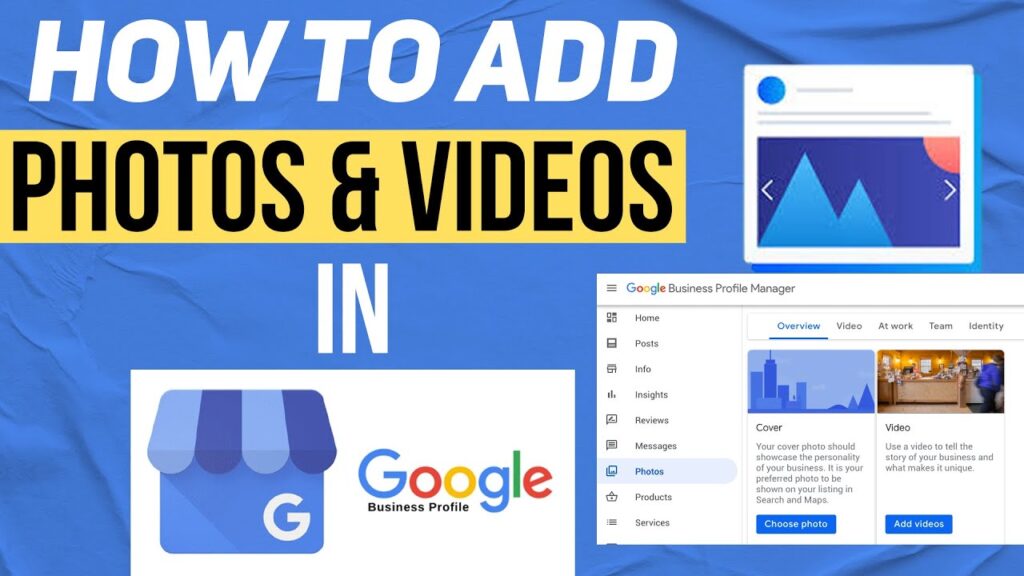
    Add high-quality images, detailed service descriptions, FAQs, and accurate hours. Encourage customers to leave reviews and respond to them professionally.

    Tip: Add products or services with descriptions and pricing. This boosts visibility for category-specific searches.

    google Business Page

    Why Your Google Business Listing Needs to Be Managed Continuously

    Just listing your business isn’t enough. To stay visible, relevant, and trusted, your Google business profile must be updated regularly.

    Ask yourself:
    Are your hours current?
    Are you responding to customer questions?
    Have you posted any updates, offers, or new services lately?

    If your answer is no, you’re missing out on valuable local SEO opportunities. That’s where Listbusinessprofile can step in with expert Google business listing services that save you time and grow your exposure.

    How a Google Business Listing Impacts Local SEO

    Google uses several factors to decide which business appears first in local results:

    • Relevance (how well your profile matches the search)

    • Distance (how close your business is to the searcher)

    • Prominence (how well-known and active your profile is)

    When you add my business to Google and optimize it properly, you’re helping Google understand your relevance to local users. This is crucial for local SEO for small business growth.
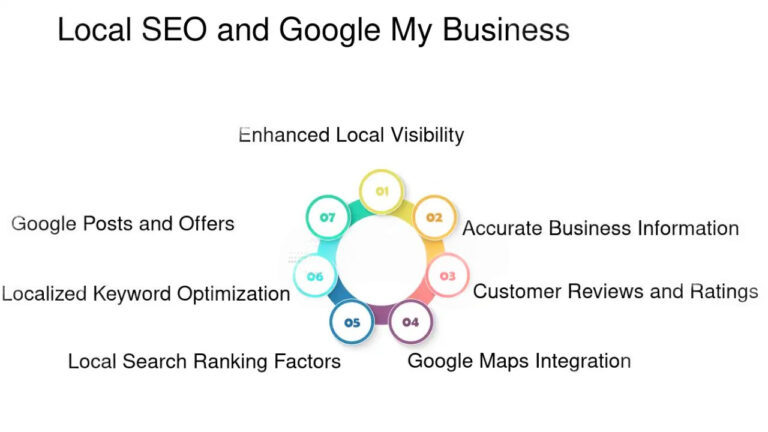
    Local SEO & GMB -Listbusinessprofile

    What if I Already Have a Listing but Need Help?

    Have you searched for your brand and seen outdated info or duplicate listings? You’re not alone. Many business owners create a listing, forget the login, or don’t remember verifying it.

    In such cases, we recommend using the Google business profile manager to regain access. Or better yet — contact our team at Listbusinessprofile to audit, claim, and clean up your listings professionally.

    Can I Manage My Google Business Profile Myself?

    You can, but should you? If you’re a busy entrepreneur juggling day-to-day operations, managing your Google business profile might fall down the priority list.

    From regular updates and posting offers to review management and keyword integration, it’s easy to overlook what matters most. That’s why many turn to our experts at Listbusinessprofile for manage my Google Business Profile solutions tailored to your industry.

    How We Help: Done-for-You Google Business Listing Services

    At Listbusinessprofile, we don’t just show you how to list my business on Google — we do it for you. Our services include:

    ✅ Full Google business account setup
    ✅ Verification assistance
    ✅ Keyword-rich content & descriptions
    ✅ Weekly profile updates and posting
    ✅ Monthly performance insights
    ✅ Review management & response crafting

    All designed to improve local visibility and increase your customer base.

    Real-Life Example

    Let’s say you’re a home-based cake designer in Chicago. You’ve never had an online presence. Within weeks of creating and optimizing your Google Business Profile, you can begin to rank for terms like “custom cakes near me” or “birthday cakes Chicago.”

    Add your address, upload pictures of your work, and request a few reviews — and you’ll start getting noticed. That’s the power of Google business listing done right.

    Final Thoughts: Don’t Just List — Lead

    The digital landscape in 2025 demands more than just being present online — you need to be active, relevant, and optimized.

    Whether you’re starting from scratch or need help taking over an existing listing, Listbusinessprofile is your go-to partner for all things related to Google Business Profile management.

    Stop wondering how to list your business on Google — let’s make it happen.

    Want to get listed, verified, and visible on Google in just a few days? Contact Listbusinessprofile today and let our experts set up and optimize your Google Business Profile so customers can find and trust you instantly!
  • Google My Business vs. Google Business Profile: Understanding the Evolution

    Google My Business vs. Google Business Profile: Understanding the Evolution

    Google business profile listbusinessprofile (1)

    If you’ve ever tried to manage your company’s presence on Google, you’ve probably come across Google My Business and more recently, Google Business Profile. But are they the same thing, or has something fundamentally changed?

    Let’s break down the evolution from GMB to Google Business Profile — what it means for your company, how it impacts visibility, and why Google Business Profile optimization is more important than ever in 2025.

    What Is Google My Business?

    Google introduced Google My Business (GMB) as a free platform that enables business owners to control how their business details are displayed in Google Search and on Google Maps.

    Through a Google Business account, companies could list vital details like address, contact information, hours, website links, photos, and more.

    It quickly became a powerful local SEO tool, allowing small businesses to be discovered by customers nearby. Whether you ran a bakery, salon, or dental clinic, a well-maintained Google business page was key to local visibility.

    The Shift: From GMB to Google Business Profile

    In late 2021, Google began rebranding Google My Business to Google Business Profile to simplify the platform and align more closely with user behavior. The goal was to move away from the standalone GMB app and integrate profile management directly into Google Search and Google Maps.

    This update streamlined the experience by allowing businesses to manage their profiles directly from the search results page. The term “GMB” is still commonly used, but the proper term moving forward is Google Business Profile.

    Why Did Google Make This Change? 

    You might be wondering — why the rebrand? The answer lies in how users interact with business listings. Instead of logging into a separate app, most business owners prefer the convenience of editing their Google business listing right where their customers find them — on Search and Maps.

    This change also supports Google’s focus on mobile-first indexing and real-time updates.

    • So, does this mean GMB is gone forever?
      Not exactly. The core functionality still exists — just under a new name and with a few key improvements.

    Key Differences Between Google My Business and Google Business Profile

    Here’s a breakdown of the main differences:

    FeatureGoogle My BusinessGoogle Business Profile
    Management Platform                     Standalone dashboard/app       Google Search & Maps
    Name“Google My Business”“Google Business Profile”
    Real-time ManagementLess integratedMore seamless, instant edits
    Mobile ExperienceApp-dependentNative within Search & Maps
    Optimization ToolsSeparate toolsBuilt-in analytics & posting tools

    How to Access and Manage Your Google Business Profile 

    To manage your listing today, simply search for your business name on Google while signed into your Google account. You’ll see your editable profile right in the results, allowing you to update:

    • Hours of operation

    • Services

    • Photos

    • Posts and offers

    • Customer Q&As

    • Reviews

    This is where Google business profile manager comes into play. It’s not a separate platform anymore — it’s a feature within your main Google experience, tailored for ease of use and real-time management.

    How to Add Your Business to Google 

    Still new to all of this? Don’t worry — adding your business is easier than ever.

    Steps to Add Business to Google:

    1. Go to Google Business Profile

    2. Sign in with your Google account.

    3. Click “Manage Now” and follow the prompts to list my business on Google.

    4. Add your business name, category, location, contact details, and website.

    5. Verify your business — by phone, email, or postcard.

    Once verified, you can start optimizing!

    Why Google Business Optimization Is Crucial in 2025

    With more people turning to local search to find nearby services, Google business optimization is no longer optional — it’s essential. Businesses that actively manage and optimize their Google business profile tend to appear higher in local search results, Google Maps, and even voice searches.

    Curious about how to boost your rankings on Google search?

    It starts with GMB optimization strategies like:

    • Adding high-quality photos regularly

    • Responding to reviews (good and bad)

    • Publishing weekly Google Posts

    • Using accurate and consistent business information

    • Leveraging relevant keywords in your business description

    These practices not only improve visibility but also build trust with potential customers.


    Real Example: A Local Gym That Dominated Search 

    A neighborhood gym in Dallas, TX, revamped their outdated Google business page by adding updated photos, enabling real-time messaging, and posting weekly promotions. Within 60 days, their search impressions increased by 58%, and direct calls from Google tripled.

    This is the power of SEO Google Business Profile practices — when done right, they turn passive viewers into paying customers.

    Best Practices for Google Business Profile Optimization

    Here’s a quick checklist for optimizing your my business profile like a pro:

    ✅ Use a consistent NAP (Name, Address, Phone number)
    ✅ Select the right categories for your business
    ✅ Write a compelling, keyword-rich business description
    ✅ Add product/service details and pricing
    ✅ Post updates, offers, and events weekly
    ✅ Enable chat or call features for quick customer communication
    ✅ Analyze insights via your Google business profile manager

    Still Calling It “Google My Business”? 

    You’re not alone! Many business owners still refer to it as “GMB account” out of habit. While Google has rebranded it, the older term is still widely recognized — and it’s okay to use both interchangeably while people adjust.

    But remember: to stay current and credible, especially when communicating with customers or using Google support, use the official term — Google Business Profile.

    Previously called GMB, Google Business Profile is a free service by Google that lets businesses control how they appear on Google Search and Maps. By optimizing your profile with accurate information, photos, services, and regular updates, you can improve your local SEO, attract more customers, and grow your visibility in 2025.

    Final Thoughts: Embrace the Change, Optimize the Future

    The shift from Google My Business to Google Business Profile is more than a name change — it’s a strategic move toward better usability, mobile responsiveness, and faster local search visibility.

    Are you ready to take full control of your local SEO?

    Now’s the perfect time to revisit your listing, implement Google business profile optimization, and turn your business page into a lead-generating powerhouse.

    Ready to Optimize Your Google Business Profile?

    At Listbusinessprofile, we specialize in helping businesses just like yours unlock the full power of Google. Whether you need help setting up, optimizing, or ranking higher in search — we’ve got your back.

    👉 Get your FREE Google Business Profile Audit today and start dominating local search!

  • How to Optimize Your Google Business Profile in 2025: A Step-by-Step Guide

    How to Optimize Your Google Business Profile in 2025: A Step-by-Step Guide

    In 2025, if your business isn’t showing up on Google, you’re missing out on massive growth opportunities. Your Google Business Profile (formerly known as Google My Business) is the most powerful free tool for increasing visibility, gaining customer trust, and driving local traffic—both online and in-store.

    But how do you fully optimize your profile to stand out in the crowded search results? Let’s break it down, step-by-step.

    What Is a Google Business Profile and Why Does It Matter?

    Your Google Business Profile is your digital storefront on Google Search and Maps. It allows customers to find your location, contact you, read reviews, view photos, and much more—all before ever visiting your website.

    Whether you’re managing your Google My Business account for the first time or looking to scale your local SEO in 2025, optimization is key.

    So, what are the exact steps you need to follow to truly stand out?

    google business profile 2025 -listbusinessprofile

    Step 1: Claim and Verify Your Google Business Profile

    Before you can optimize anything, you need to claim your profile. If you haven’t already:

    1. Go to Google Business Profile Manager

    2. Click “Manage now” and sign into your Google My Business account

    3. Search for your business or click “Add your business to Google”

    4. Follow the prompts to verify ownership via email, phone, or postcard

    Question: Already listed but haven’t claimed it yet? What are you waiting for?

    Claiming your profile gives you full control over what users see when they search for your business.

    verify google business profile manager -listbusinessprofile

    Step 2: Complete Every Section of Your Profile

    Google favors complete profiles. When you fully fill out your Google business listing, it not only improves visibility but also boosts customer trust.

    Be sure to complete:

    • Business Name

    • Address

    • Phone Number (NAP)

    • Website URL

    • Business Hours

    • Category

    • Services Offered

    • Business Description

    • Photos & Videos

    Pro Tip: Use your most relevant keywords naturally in the business description to boost SEO. For example, mention “We offer premium web design services in downtown Chicago.”

    Step 3: Choose the Right Category & Attributes

    Selecting the correct category can make or break your visibility. Google uses this to determine which search results to show your business in.

    Are you a bakery, a tech company, or a plumber? Be as specific as possible.

    Then, add attributes like “wheelchair accessible,” “LGBTQ+ friendly,” or “free Wi-Fi” based on your business type. These details appear on your Google business page and give users more reasons to choose you.

    Step 4: Add High-Quality Photos and Videos

    Visuals convert. Businesses with photos receive 42% more requests for directions and 35% more clicks to their websites.

    Make sure to:

    • Upload your logo and cover photo

    • Add real photos of your team, products, office, or location

    • Include short videos (under 30 seconds) showcasing services or customer testimonials

    Keep everything updated and relevant. Customers want to see what your business looks like today—not last year.

    Step 5: Enable Messaging and Update Business Hours

    Want to boost conversions? Turn on messaging within your Google Business Profile Manager so potential customers can text you directly from your listing.

    Also, always keep your business hours accurate, including holiday hours. Outdated info hurts credibility and leads to customer frustration.

    Question: Ever searched for a business, saw they were “open” on Google, drove there—and they were closed? Don’t be that business.

    Step 6: Collect and Respond to Reviews

    how to add google profile reviews and rating maintenance -listbusinessprofile

    Reviews are your reputation currency. Encourage happy customers to leave 5-star ratings and write detailed feedback on your profile.

    Once they do, reply to every review—positive or negative. It shows you care and increases engagement on your Google business listing.

    SEO Tip: Respond using relevant keywords, such as “Thank you for choosing our web design service in Chicago!”

    Step 7: Post Regular Updates and Offers

    Just like social media, your Google business page allows you to publish posts. Share updates, offers, new services, or events. These appear right on your listing and can drive more actions.

    What should you post?

    • Special discounts or promos

    • Behind-the-scenes videos

    • Blog article links

    • Product or service launches

    Use these posts to stay relevant and show Google that your my business profile is active and up-to-date.

    Step 8: Track Insights and Make Improvements

    Google provides detailed insights via the Google Business Profile Manager, such as:

    • How customers found your listing

    • What keywords they used

    • Where they’re coming from

    • What actions they took (calls, website visits, directions)

    Use this data to refine your strategy. See what’s working—and do more of it.

    Question: Are you reviewing your data regularly, or are you guessing what your audience wants?

    Step 9: Add Products or Services

    If you offer specific products or services, showcase them on your Google Business Profile. Add names, descriptions, pricing, and images. This is especially useful for local SEO and voice search.

    This not only improves keyword relevance but also allows your audience to better understand what you offer at a glance.

    Step 10: Sync Your Business with Other Google Services

    Integrate your listing with other tools like:

    • Google Ads

    • Google Analytics

    • Google Maps

    • YouTube

    This creates a full-circle marketing ecosystem, giving you more data, more control, and better visibility. When your digital presence is aligned across platforms, Google ranks you higher in local search witg Google Ads.

    Ready to List Your Business on Google the Right Way?

    If you’re asking, “How do I list my business on Google and get real results?”—it starts with an optimized profile.

    Take the time to complete your listing, upload visuals, respond to reviews, and use every feature Google offers. From creating a Google my business account to regularly managing your Google business profile, every action counts.

    The best part? It’s free—but only if you use it wisely.

    Final Thoughts: Is Your Google Business Profile 2025-Ready?

    2025 is all about smart visibility. Your Google Business Profile is no longer just an option—it’s a necessity.

    Use this guide to update your profile and ensure it reflects the best version of your business. Remember, customers are searching every day for services you offer. Make sure your business is the one they find and trust.

    Need help optimizing your Google business page? Don’t hesitate to reach ListBusinessProfile, digital marketing experts who can manage your profile professionally and drive real traffic to your door.