Tag: local SEO for small business

  • How to Use Google Business Profile Posts to Drive Sales & Engagement in 2025

    How to Use Google Business Profile Posts to Drive Sales & Engagement in 2025

    In today’s digital-first marketplace, standing out on Google is no longer optional—it’s essential. And in 2025, one of the most powerful (yet underused) tools for local businesses is Google Business Profile Posts. These posts give businesses the opportunity to speak directly to potential customers through their Google listing—whether it’s for promotions, events, products, or updates.

    But how exactly do these posts help drive more traffic, sales, and engagement?

    Let’s break it down step by step so you can start using this feature like a pro and boost your business growth this year.

    What Are Google Business Profile Posts?

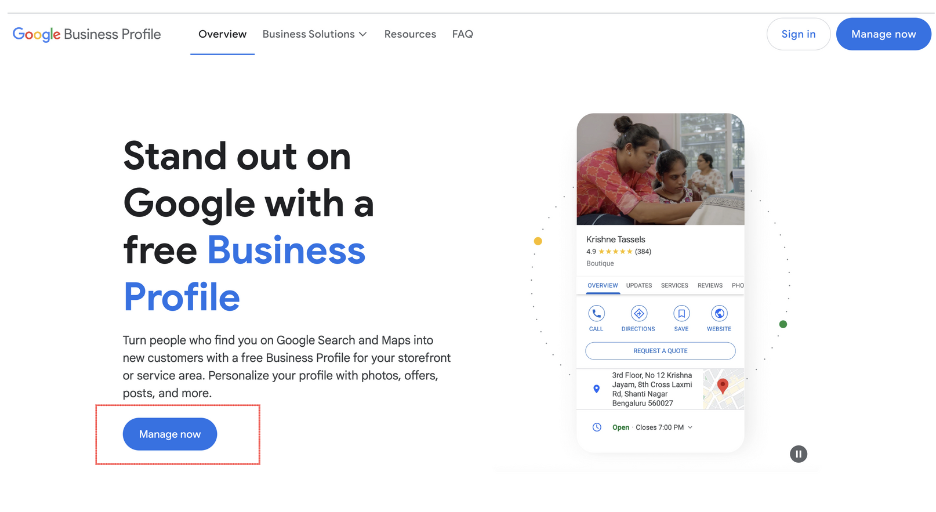
    Google Business Profile Posts (formerly part of Google My Business) are updates that show up directly on your Google Business listing. Whether someone finds you through Search or Maps, they can see these posts without ever clicking on your website.

    You can share:

    • Announcements

    • Events

    • Promotions or limited-time offers

    • Product highlights

    • Service changes or business updates

    Each post can include text, images, videos, links, and a call-to-action (CTA) button such as Call Now, Book Online, or Learn More.

    Why Should You Use Google Posts in 2025?

    Still wondering why these posts are so important?

    Here’s what makes them essential in 2025:

    • 🔍 Better Local Visibility: Posts keep your profile fresh and active, which helps with local SEO.

    • 💬 Instant Engagement: Communicate directly with potential customers when they find your business on Google.

    • 💼 Drive Conversions: Promote sales, offers, or events right in search results.

    • 📱 Mobile Advantage: With more searches happening on mobile, customers can see and act on your posts instantly.

    Did you know? Google Business Profiles with frequent updates and posts often rank higher in local search results!

    Step-by-Step: How to Post on Your Google Business Profile

    Step 1: Set Up or Access Your Google Business Profile

    If you haven’t yet, start by creating or claiming your listing via the Google Business Profile Manager.

    • Search for your business on Google.

    • Click on “Manage this business” or “Claim this business”.

    • Complete your Google business account setup with correct business details.

    Step 2: Access the Posting Feature

    Log in to your Google Business account, and you’ll find an option labeled “Add Update” or “Create Post.” From here, you can choose the type of post:

    • What’s New

    • Offer

    • Event

    • Product

    Each type serves a different purpose, and choosing the right one improves relevance.

    Tips to Create Posts That Convert

    Want to turn viewers into buyers? Follow these expert tips:

    1. Use Attention-Grabbing Headlines

    A clear and catchy headline grabs users fast. Instead of “Big Sale,” say “Get 25% Off All Services – This Week Only!”

    2. Add High-Quality Images

    Posts with appealing images or videos perform better. Make sure your visuals are bright, relevant, and sized correctly (around 1200×900 pixels).

    3. Include Local Keywords

    Target keywords like “local SEO for small business”, “list business on Google Maps”, or “add my business to Google” to help your posts show up in relevant searches.

    4. Strong CTA

    Each post should guide users with a CTA button. Try:

    • Call Now

    • Visit Us

    • Book Appointment

    • Learn More

    These guide users toward your goal—be it more bookings, traffic, or sales.

    Use Google Posts to Support Your SEO Strategy

    Build Topical Authority

    Posting regularly helps Google understand what your business offers. Whether you provide SEO services, digital marketing services, or plumbing—posting about it helps build authority in that area.

    Enhance Google Business Optimization

    Active posting is one of the most overlooked aspects of Google business optimization. It shows your business is current, trustworthy, and engaged with your audience.

    What to Post in 2025? Fresh Ideas You Can Use Today

    Not sure what kind of posts to publish? Here are ideas that work great in 2025:

    • 🛍️ New Product Launches: “Introducing Our All-New Mobile App – Download Now!”

    • 🎉 Event Promotions: “Join Us at the Spring Sale Expo This Weekend!”

    • 💡 Helpful Tips: “3 Quick Ways to Maximize Your Digital Marketing ROI.”

    • 💬 Customer Testimonials: “Why Customers Trust [Your Business Name]—Real Stories!”

    Mix these with ongoing seasonal promotions and business updates for best results.

    Measuring Performance: Use Insights to Improve

    After posting, it’s vital to review your performance using the manage my Google Business Profile dashboard.

    Metrics you should monitor:

    • Number of views

    • Click-through rate (CTR)

    • Actions taken (calls, visits, direction requests)

    Use these insights to refine your posting strategy over time.

    Are You Posting Consistently?

    Here’s a question: Are you updating your Google Business Profile at least once a week?

    If not, you could be missing out on valuable traffic and leads. Google Posts stay live for seven days unless it’s an event or offer. Posting consistently not only keeps your profile active but also helps maintain your ranking.

    A Quick Look: Google Posts and Services to Boost It

    Sometimes, businesses don’t have time to manage this all themselves. That’s why services like Google business listing service, SEO services, and Google business profile manager offerings are valuable.

    They help streamline:

    • Profile management

    • Optimization

    • Local keyword strategies

    • Tracking analytics

    If you’re serious about growth, consider hiring professionals like Listbusinessprofile to help you make the most of these features.

    Final Thoughts: Let Google Posts Work for You

    Google Business Profile Posts are a high-impact, low-effort way to enhance your visibility, engagement, and revenue in 2025. Whether you run a coffee shop or a digital agency, using posts to connect with your audience in real-time gives you a significant edge over competitors who aren’t active.

    Don’t just claim your business—optimize it. Post, engage, and watch your customer base grow.

    Ready to grow your business with Google Posts?

    Let Listbusinessprofile help you with complete Google business profile optimization—from setup to strategy. Start maximizing your local visibility today!

  • How to List My Business on Google?

    How to List My Business on Google?

    Your 2025 Roadmap to Better Visibility, More Customers & Local Growth

    Why Listing Your Business on Google Matters in 2025

    In today’s digital-first world, being visible online isn’t a luxury — it’s a necessity. If you’re wondering how to list my business on Google in 2025, you’re already a step ahead of many competitors. With millions of users searching for local services daily, appearing on Google Search and Maps can significantly influence customer decisions and drive real revenue.

    At Listbusinessprofile, we help business owners like you simplify the entire process of getting found on Google. Whether you’re a startup, service provider, or brick-and-mortar shop, this guide will show you how to take full control of your online visibility.

    Google My Business -Listbusinessprofile

    What Does It Mean to List My Business on Google?

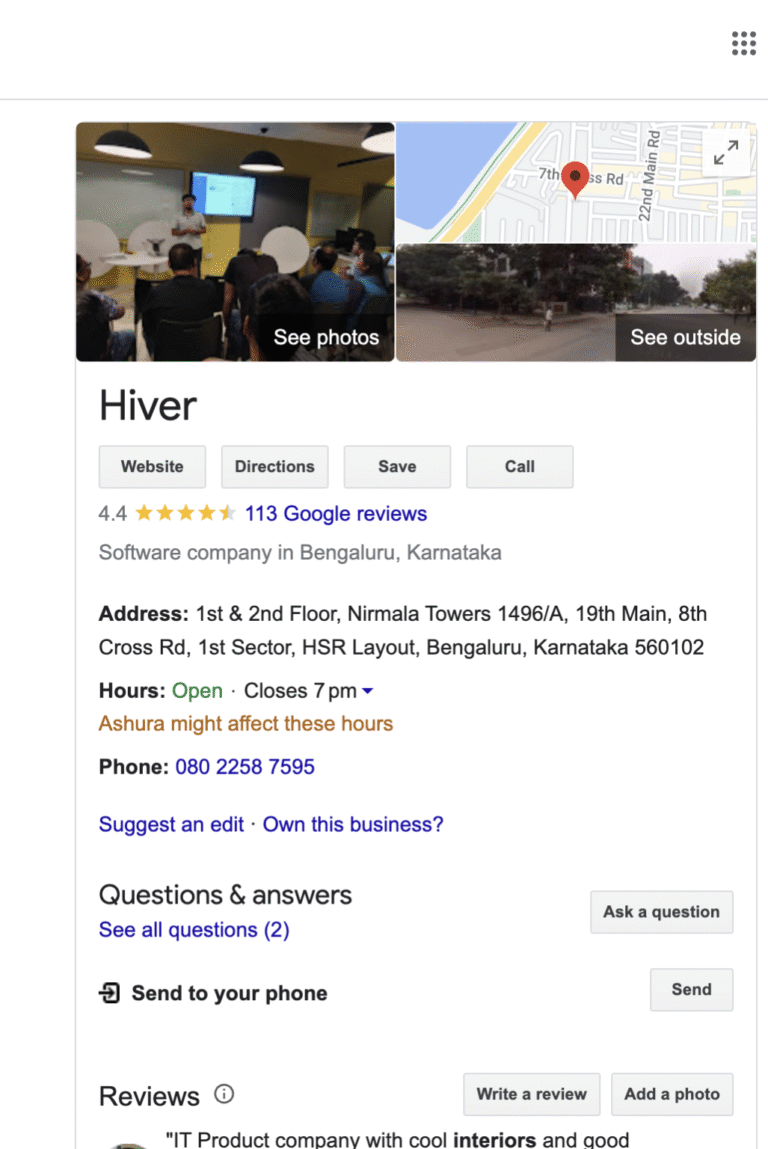
    Before we dive into the steps, let’s clarify the basics. Listing your business on Google means creating a Google Business Profile (formerly known as Google My Business) — a digital storefront that showcases your brand directly in search results and on Google Maps.

    This listing includes your business name, address, phone number, hours, services, photos, reviews, and more. It allows potential customers to find, contact, and visit you — both online and in-person.

    Step-by-Step Guide to List Your Business on Google

    Want your business to appear on Google Search & Maps in 2025? It all starts with a fully optimized Google Business Profile!

    Step 1: Create a Google Business Profile

    Start by visiting the official Google Business Profile Manager. Use your Google account to sign in.

    Click on “Add your business to Google” and begin entering your business name and category. This is the foundation for your Google business listing, so make sure the details are accurate and consistent with your website and other online directories.

    Step 2: Enter Essential Business Information

    You’ll now input your business address, service area (if applicable), contact details, and business hours.

    Wondering if you can list a business on Google Maps without a physical location? Yes, you can! Google allows “service area businesses” to show up on Maps even without a storefront — perfect for mobile services, consultants, or at-home businesses.

    google business profile creation -listbusinessprofile

    Step 3: Verify and Claim Your Business

    To claim my business on Google, you must verify ownership. Depending on your setup, Google may offer one or more verification methods:

    • Postcard (most common)

    • Phone call

    • Email

    • Instant verification (for some existing Google accounts)

    Once verified, your Google business account setup is officially live and visible to the public.

    Step 4: Optimize Your Google Business Profile

    Here’s where many businesses fall short — they create the listing, but forget to optimize it. At Listbusinessprofile, we specialize in Google business optimization services to help you outperform competitors.

    Add high-quality images, detailed service descriptions, FAQs, and accurate hours. Encourage customers to leave reviews and respond to them professionally.

    Tip: Add products or services with descriptions and pricing. This boosts visibility for category-specific searches.

    google Business Page

    Why Your Google Business Listing Needs to Be Managed Continuously

    Just listing your business isn’t enough. To stay visible, relevant, and trusted, your Google business profile must be updated regularly.

    Ask yourself:
    Are your hours current?
    Are you responding to customer questions?
    Have you posted any updates, offers, or new services lately?

    If your answer is no, you’re missing out on valuable local SEO opportunities. That’s where Listbusinessprofile can step in with expert Google business listing services that save you time and grow your exposure.

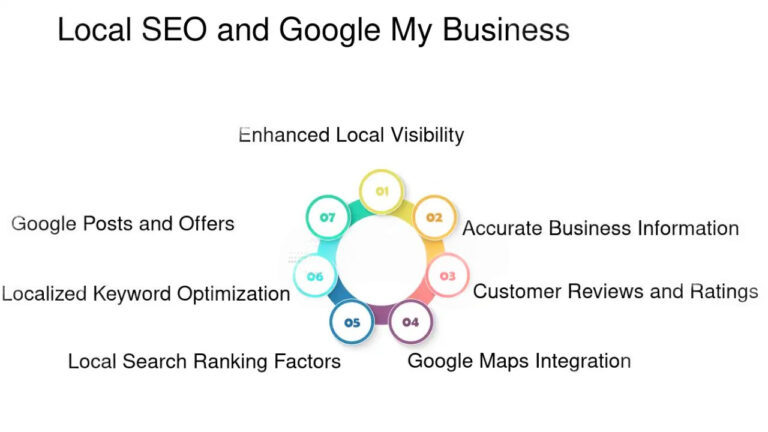
    How a Google Business Listing Impacts Local SEO

    Google uses several factors to decide which business appears first in local results:

    • Relevance (how well your profile matches the search)

    • Distance (how close your business is to the searcher)

    • Prominence (how well-known and active your profile is)

    When you add my business to Google and optimize it properly, you’re helping Google understand your relevance to local users. This is crucial for local SEO for small business growth.

    Local SEO & GMB -Listbusinessprofile

    What if I Already Have a Listing but Need Help?

    Have you searched for your brand and seen outdated info or duplicate listings? You’re not alone. Many business owners create a listing, forget the login, or don’t remember verifying it.

    In such cases, we recommend using the Google business profile manager to regain access. Or better yet — contact our team at Listbusinessprofile to audit, claim, and clean up your listings professionally.

    Can I Manage My Google Business Profile Myself?

    You can, but should you? If you’re a busy entrepreneur juggling day-to-day operations, managing your Google business profile might fall down the priority list.

    From regular updates and posting offers to review management and keyword integration, it’s easy to overlook what matters most. That’s why many turn to our experts at Listbusinessprofile for manage my Google Business Profile solutions tailored to your industry.

    How We Help: Done-for-You Google Business Listing Services

    At Listbusinessprofile, we don’t just show you how to list my business on Google — we do it for you. Our services include:

    ✅ Full Google business account setup
    ✅ Verification assistance
    ✅ Keyword-rich content & descriptions
    ✅ Weekly profile updates and posting
    ✅ Monthly performance insights
    ✅ Review management & response crafting

    All designed to improve local visibility and increase your customer base.

    Real-Life Example

    Let’s say you’re a home-based cake designer in Chicago. You’ve never had an online presence. Within weeks of creating and optimizing your Google Business Profile, you can begin to rank for terms like “custom cakes near me” or “birthday cakes Chicago.”

    Add your address, upload pictures of your work, and request a few reviews — and you’ll start getting noticed. That’s the power of Google business listing done right.

    Final Thoughts: Don’t Just List — Lead

    The digital landscape in 2025 demands more than just being present online — you need to be active, relevant, and optimized.

    Whether you’re starting from scratch or need help taking over an existing listing, Listbusinessprofile is your go-to partner for all things related to Google Business Profile management.

    Stop wondering how to list your business on Google — let’s make it happen.

    Want to get listed, verified, and visible on Google in just a few days? Contact Listbusinessprofile today and let our experts set up and optimize your Google Business Profile so customers can find and trust you instantly!