Tag: business ideas

  • How to Increase Google Business Profile Click Through Rate (CTR)

    How to Increase Google Business Profile Click Through Rate (CTR)

    You don’t have a ranking problem.
    You have a decision problem.

    Your business is showing up on Google Maps. People are seeing it. But they aren’t choosing it.

    In my experience, this is where most local businesses misunderstand performance. They celebrate impressions inside their Google Business Profile dashboard, yet revenue doesn’t move. If you’re asking, “Why is my Google Business Profile getting views but no clicks?” — the issue is your Google Business Profile Click Through Rate (CTR). Visibility alone does not create action. Persuasion does.

    Let’s break this down properly.

    What Is Google Business Profile Click Through Rate — And Why Does It Matter?

    Your Google Business Profile Click Through Rate measures how often people take action after seeing your listing. That action might be:

    • Clicking your website

    • Calling your business

    • Requesting directions

    If impressions are high but actions are low, your CTR is weak.

    And here’s the uncomfortable truth:

    Google Maps ranking gets you seen.
    Google Business Profile CTR gets you chosen.

    Why Is My Google Business Profile Getting Views but No Clicks?

    I’ve seen this happen when businesses focus entirely on ranking higher but ignore how they appear next to competitors.

    Think about user behavior.

    A potential customer searches “local SEO expert near me.”
    Google shows three listings.
    Within seconds, the user compares:

    • Star ratings

    • Review count

    • Photos

    • Business description

    • Activity level

    That comparison determines your CTR.

    If your profile looks inactive, outdated, or generic, people scroll past—even if you rank first.

    That’s why Zero-click local search is increasing. Users make decisions inside Google itself without ever visiting your site.

    What Affects Google Business Profile CTR?

    CTR is psychological as much as technical.

    Here are the primary factors influencing it:

    1. Visual Authority

    Low-quality images reduce trust instantly. In my experience, updating professional photos alone can increase engagement significantly.

    2. Review Momentum

    Not just rating — but recency. I’ve seen this happen when profiles with 4.8 stars still lose clicks because their last review was 6 months ago.

    3. Category Accuracy

    Incorrect primary categories limit both Google Maps ranking and perceived relevance.

    4. Description Clarity

    If your description doesn’t clearly state what you do and who you help, users hesitate.

    5. Competitive Contrast

    CTR is relative. You’re not judged in isolation. You’re judged against the listings beside you.

    Why Am I Getting Impressions but No Traffic from Google Maps?

    Because impressions measure exposure, not persuasion.

    If you’re getting visibility but no website visits, your Google Business Profile optimization needs refinement.

    Common triggers include:

    • No clear service positioning

    • Weak call-to-action

    • Generic business language

    • Lack of updates or posts

    In my experience, when profiles feel inactive, users assume the business is less responsive.

    How to Increase Google Business Profile CTR Strategically?

    Instead of random changes, follow this structured approach.

    Step 1: Reposition Your Primary Category

    Your category determines search alignment. Misalignment reduces relevance and clicks.

    Example:
    A business listed under “Consultant” instead of “Digital Marketing Agency” saw immediate CTR improvement after correction.

    This is foundational for both Google Maps ranking and click-through performance.

    Step 2: Upgrade Visual Presentation

    Photos are not decoration. They are conversion assets.

    Replace:

    • Blurry storefront images

    • Stock team photos

    • Outdated branding

    With:

    • Real team photos

    • Updated workspace images

    • Service-specific visuals

    To Improve Google Maps visibility, your listing must look active and real.

    Step 3: Rewrite for Conversion, Not Just Keywords

    Many businesses treat descriptions as SEO fields.

    But users aren’t searching your description. They’re scanning it.

    Instead of writing:

    “We provide quality services.”

    Write:

    “We help local businesses increase visibility and generate qualified leads through Google Business listing optimization.”

    Clear value increases clicks.

    Step 4: Increase Activity Signals

    Google Business Profile CTR improves when your profile feels alive.

    Add:

    • Weekly posts

    • Updated offers

    • Event announcements

    • Regular review responses

    Activity builds credibility.

    How to Improve Google Maps Click-Through Rate in Competitive Niches?

    If competition is high, differentiation becomes essential.

    Ask yourself:

    • Do I have more reviews than competitors?

    • Is my rating higher?

    • Does my profile look more complete?

    • Do my photos look better?

    CTR is a competitive metric.

    You don’t need perfection.
    You need relative superiority.

    Why Is My Google Business Profile Not Converting?

    If you’re asking, “Why is my local SEO not converting?”, the issue often lies beyond ranking.

    Conversion drops when:

    • Contact buttons aren’t emphasized

    • No call-to-action language exists

    • Services aren’t clearly listed

    • Messaging isn’t enabled

    I’ve seen this happen when businesses invest heavily in SEO but forget simple persuasion elements.

    How to Optimize Google Business Profile for More Website Clicks?

    If your goal is traffic rather than calls:

    1. Add UTM tracking for performance clarity.

    2. Highlight service-specific landing pages.

    3. Use action-oriented descriptions.

    4. Encourage reviews that mention services.

    This improves both Google Business Profile Click Through Rate and overall engagement. 

    Real Example: CTR Recovery

    One client had:

    • 12,000 impressions

    • 90 website clicks

    CTR was under 1%.

    After:

    • Updating categories

    • Improving photos

    • Rewriting description

    • Posting weekly

    • Responding to reviews

    CTR increased to 2.6% within two months.

    Same visibility. More action.

    What Not to Do When Trying to Improve Google Business Profile CTR

    Avoid these common mistakes:

    • Keyword stuffing business name

    • Buying fake reviews

    • Ignoring negative feedback

    • Leaving outdated information live

    • Setting and forgetting your listing

    These damage both trust and long-term performance.

    How to Rank Higher on Google Maps and Get More Clicks?

    Ranking and CTR work together.

    To rank higher:

    • Maintain consistent citations

    • Collect authentic reviews

    • Optimize categories

    • Stay active

    To get more clicks:

    • Improve profile presentation

    • Add persuasive messaging

    • Build visual trust

    One without the other limits growth.

    FAQs

    • How to increase Google Business Profile CTR?

    Improve visuals, optimize categories, rewrite descriptions, and maintain consistent activity.

    • How do I get more calls from Google Business Profile?

    Enable messaging, use clear CTAs, and improve review credibility.

    • What affects Google Business Profile CTR?

    Ratings, photos, category accuracy, activity level, and competitive comparison.

    • How to get more customer actions from Google Business Profile?

    Combine Google Business listing optimization with persuasive presentation.

    Final Thoughts

    Most businesses chase rankings.

    Smart businesses improve click-through rate.

    Your Google Business Profile Click Through Rate is the bridge between visibility and revenue. Without optimizing it, impressions are just numbers.

    In my experience, when businesses shift focus from “How do I rank?” to “Why would someone choose me?” — performance changes.

    If your profile is getting views but no clicks, it’s not broken.

    It’s just not convincing enough.
  • Why Posting Daily on Google Business Profile Still Doesn’t Work

    Why Posting Daily on Google Business Profile Still Doesn’t Work

    “I posted every day. Added offers. Uploaded photos. Asked for reviews.
    Yet my phone stayed silent.”

    That’s the moment many businesses realize something uncomfortable: posting daily on Google Business Profile feels productive—but results don’t follow.

    If you’re wondering why Google Business Profile still doesn’t work even after consistent posting, you’re not alone. Thousands of businesses follow Google’s visible recommendations and still struggle with rankings, calls, and leads.

    Here’s the truth most guides won’t tell you: Google Business Profile in 2026 is no longer about activity—it’s about behavior.

    And that changes everything.

    Why Does Google Business Profile Still Doesn’t Work for So Many Businesses?

    The biggest misconception is believing that frequency equals visibility. It doesn’t anymore.

    Google’s recent updates shifted how local rankings work. Posting daily without engagement, relevance, or conversion signals is like talking loudly in an empty room. Google notices the noise—but rewards the response.

    This is why many businesses say, “My Google Business Profile isn’t ranking even after optimization.”

    Because optimization without outcomes is invisible to the algorithm.

    How Did Google Business Profile Change After Recent Google Updates?

    Google Maps and local search are now driven by real user interaction, not just profile completeness.

    In 2026, Google evaluates:

    • What users do after seeing your profile

    • Whether they take action or bounce

    • How often your listing creates real outcomes

    This explains why daily posts alone fail. Google doesn’t rank effort—it ranks impact.

    A simple way to visualize this is through a behavior funnel:

    Profile View → Engagement → Action → Trust Signal

    If posting daily doesn’t move users down this funnel, your visibility stalls.

    Why Posting Daily on Google Business Profile Still Doesn’t Work Without Engagement?

    Posting daily is passive. Google rewards reaction, not routine.

    Many businesses post:

    • Generic updates

    • Promotional offers

    • Repeated service descriptions

    But users scroll past without clicking, calling, or requesting directions. That sends a silent signal to Google: this profile isn’t useful.

    This is closely tied to a common frustration:
    Why Am I Getting Website Visitors But No Leads or Phone Calls?

    Because attention without intent doesn’t convert—and Google sees that.

    Is Google Business Profile Optimization Still About NAP and Keywords?

    NAP consistency and keywords still matter—but they’re no longer decisive.

    In local SEO, Google now blends:

    • Proximity

    • Relevance

    • Trust

    • Behavior

    If your profile is optimized but ignored, proximity won’t save you. This is why many businesses ask:
    Why Is My Local SEO Not Working Even After Optimization?

    Because optimization is the baseline, not the differentiator.

    What Google Maps Signals Matter More Than Daily Posting?

    Google Maps now tracks:

    • Call clicks

    • Direction requests

    • Profile interactions

    • Review velocity and sentiment

    • Time spent on linked pages

    If your daily posts don’t trigger these actions, they don’t strengthen your profile.

    Think of it like this graph:

    X-axis: Posting Frequency
    Y-axis: Engagement Actions

    Most businesses increase X while Y stays flat. Google ranks based on Y.

    Why AI Content and ChatGPT Posts Don’t Fix GBP Rankings

    Many businesses now use AI Content or ChatGPT Content to post daily faster. That saves time—but often hurts results.

    AI-written posts usually:

    • Sound generic

    • Miss local intent

    • Lack emotional triggers

    Google’s system detects patterns that users ignore. This connects directly to AI Content vs Google Rankings—AI helps scale content, but not trust.

    Without human relevance, daily posting becomes digital noise.

    How Does Content Marketing Tie Into Google Business Profile Performance?

    Your Google Business Profile doesn’t exist in isolation. Google tracks what happens after the click.

    If your website:

    • Loads slowly

    • Doesn’t answer intent

    • Has weak CTAs

    Then even engaged users drop off.

    That’s why content marketing and blog writing strategies now influence local rankings. Google evaluates whether your ecosystem supports user satisfaction—not just your profile.

    This also explains why many businesses struggle with How to Increase Website Traffic Organically but fail to convert locally.

    What Actually Works Instead of Posting Daily?

    The goal isn’t more posts—it’s better outcomes.

    High-performing profiles focus on:

    • Posting less, but with intent-driven topics

    • Aligning posts with search-based questions

    • Using posts to guide users to conversion paths

    • Updating based on user behavior data

    One strong post that drives calls beats 30 ignored updates.

    Why Businesses Feel Google Business Profile Still Doesn’t Work in 2026

    Because they’re following outdated advice.

    SEO in 2026 is no longer checklist-based. Google evaluates decisions, not just data.

    This mirrors what many businesses experience across channels:
    Traffic without leads. Visibility without growth. Activity without return.

    It’s the same reason many business ideas fail early—not lack of effort, but lack of alignment with user behavior.

    How Should You Measure Success on Google Business Profile Now?

    Stop tracking:

    • Number of posts

    • Posting streaks

    Start tracking:

    • Calls from GBP

    • Direction requests

    • Profile click-through rate

    • Actions per impression

    If those metrics improve, rankings follow.

    Frequently Asked Questions

    Q: Does posting daily hurt Google Business Profile rankings?
    A: No, but it doesn’t help unless users engage with your content.

    Q: Why is my Google Business Profile not ranking even with regular updates?
    A: Because Google prioritizes interaction, trust, and relevance over posting frequency.

    Q: Is Google Business Profile still worth it in 2026?
    A: Yes—but only when used as a behavior-driven channel, not a posting platform.

    Q: Can AI tools improve Google Business Profile results?
    A: Only when paired with human strategy and local intent.

    Final Thoughts

    Google Business Profile still works—but not the way most businesses use it.

    Posting daily feels productive, but Google rewards results, not routines. In 2026, local visibility is earned through engagement, trust, and meaningful actions—not frequency alone.

    When businesses shift from “What should I post today?” to “What will users do after they see this?”, everything changes.

    If your Google Business Profile looks active but still isn’t driving calls or growth, it’s time to stop guessing.
    ListBusinessProfile offers a free website and local visibility audit to uncover why your profile isn’t converting—and what Google actually expects in 2026.

  • What’s New in SEO in 2026? Complete Guide for Businesses

    What’s New in SEO in 2026? Complete Guide for Businesses

    SEO in 2026 is no longer about chasing algorithms. It’s about answering real questions, building trust, and aligning with how people actually search today. If you’re a business owner wondering why rankings fluctuate, why traffic doesn’t convert, or why local visibility feels stuck, you’re not alone.

    Here’s the short answer upfront (search intent solved):
    SEO in 2026 focuses on AI-driven search results, user intent, experience (EEAT), local relevance, and conversion-focused content. Businesses that adapt grow steadily. Those that rely on outdated tactics slowly disappear.

    This complete guide by ListBusinessProfile explains what’s changed, why it matters, and how you can apply it—step by step.

    Why Is SEO in 2026 So Different from Previous Years?

    People often search:

    • Is SEO still relevant in 2026?

    • Why did my rankings drop after recent updates?

    SEO has evolved because search behavior has changed.

    Search engines now:

    • Use AI to summarize answers

    • Reward experience, not generic content

    • Track engagement, not just clicks

    • Personalize results (especially in local SEO)

    That means ranking alone isn’t success anymore. Visibility, trust, and conversions matter more.

    How AI Is Reshaping SEO in 2026

    AI-powered search results answer questions directly. This has led to more zero-click searches, where users get answers without visiting websites.

    What does this mean for businesses?

    • Less traffic, but higher-quality traffic

    • Only clear, structured, authoritative content gets cited

    Example:
    A vague article titled “SEO Tips” struggles.
    A focused article titled “Why Is My Local SEO Not Working Even After Optimization?” gets visibility because it answers a real question clearly.

    Key takeaway: Write for people first, not keywords first.

    What Role Does User Intent Play in SEO in 2026?

    User intent now drives rankings more than keyword density.

    People search questions like:

    • Why Am I Getting Website Visitors But No Leads or Phone Calls?

    • How to Increase Website Traffic Organically without ads?

    If your content doesn’t match the reason behind the search, it won’t perform.

    Example:
    Traffic-focused blogs without CTAs attract visitors but no leads.
    Conversion-focused content explains problems, offers solutions, and guides next steps.

    This is why SEO and business goals must align in 2026.

    Why Local SEO Matters More Than Ever in 2026

    Local SEO is one of the fastest-growing SEO segments.

    Businesses frequently ask:

    • Why is my local SEO not working even after optimization?

    The answer is usually activity and trust signals, not setup.

    What Google prioritizes now:

    • Fresh reviews (review velocity)

    • Regular Google Business Profile updates

    • Real photos and engagement

    • Location-specific content

    Real example:
    Two businesses offer the same service.
    The one updating its profile weekly and replying to reviews outranks the other—even with fewer backlinks.

    Local SEO in 2026 rewards consistency, not shortcuts.

    Why Traffic Without Leads Is a Common SEO Problem

    A very common question in 2026:

    This happens when:

    • Content educates but doesn’t guide

    • CTAs are missing or unclear

    • Pages aren’t optimized for conversions

    SEO now overlaps with UX and CRO.

    Example:
    A blog explains a problem well but doesn’t offer:

    • Contact options

    • Free audits

    • Clear next steps

    Result: traffic without business growth.

    What Content Works Best for SEO in 2026?

    Content that ranks in 2026 is:

    • Question-based

    • Experience-driven

    • Easy to read

    • Structured for AI and humans

    Blog Writing Strategies That Work

    Businesses searching for blog writing strategies should focus on:

    • Short paragraphs

    • Clear headings

    • Real examples

    • FAQs

    • Internal linking

    This approach aligns with Yoast SEO rules and Google’s helpful content guidelines.

    The Real Reason 90% Businesses Collapse in Year One

    Many people search:

    • Real reason 90% businesses collapse in year one

    From an SEO lens, the reasons are clear:

    • No long-term visibility strategy

    • Overdependence on ads

    • Poor local presence

    • No content authority

    SEO in 2026 is about building assets, not quick wins.

    Businesses that invest in SEO early:

    • Reduce ad costs

    • Build trust

    • Generate compounding traffic

    How to Increase Website Traffic Organically in 2026

    Organic growth is still possible—but only with the right strategy.

    What works now:

    • Topic clusters instead of random blogs

    • Local + informational content mix

    • AI-assisted, human-edited writing

    • Updating old content regularly

    Example graph (conceptual):
    Imagine a line graph showing:

    • Month 1–3: slow growth

    • Month 4–6: steady increase

    • Month 7+: exponential organic traffic

    This is how compounding SEO works when done correctly.

    How EEAT Impacts SEO in 2026

    Experience, Expertise, Authority, and Trust (EEAT) are critical.

    Google favors:

    • Real-world examples

    • First-hand insights

    • Consistent branding

    A faceless website with generic content struggles.
    A brand like ListBusinessProfile, sharing actionable insights and audits, builds trust faster.

    Frequently Asked Questions (FAQs)

    Is SEO still worth it in 2026?
    Yes. SEO delivers long-term, cost-effective growth when done correctly.

    Why is my local SEO not improving?
    Most often due to lack of ongoing activity, reviews, or location relevance.

    Can small businesses compete in SEO?
    Yes, especially through local SEO and niche-focused content.

    Does AI content rank on Google?
    AI-assisted content ranks when refined with human experience and value.

    Final Thoughts from ListBusinessProfile

    SEO in 2026 rewards clarity, consistency, and credibility. Businesses that focus on real problems, real answers, and real users see lasting growth.

    If your website gets traffic but no leads, or your local rankings feel stuck, it’s not failure—it’s a strategy gap.

    If you want to improve SEO in 2026, fix local visibility issues, and turn traffic into real leads, ListBusinessProfile is here to help.

    👉 Book a free website audit today and discover what’s holding your growth back.
    👉 Let our experts help you build a Google-friendly, future-proof SEO strategy that actually drives business results.

    Grow smarter. Rank stronger. Build long-term success with ListBusinessProfile. 🚀

  • How to Turn Social Media Followers Into Paying Clients (Complete Guide for Small Businesses)

    How to Turn Social Media Followers Into Paying Clients (Complete Guide for Small Businesses)

    If you’ve been posting consistently on Instagram, Facebook, YouTube, or TikTok but still wondering “How do I turn my social media followers into real paying clients?” — you’re not alone.

    Most small business owners struggle with this. They grow followers, gain impressions, even get likes… but no sales.

    So what’s missing? Why does your audience scroll past your offers? Why isn’t your social media marketing converting into real business?

    This complete guide breaks down the exact process, backed by digital marketing principles, content marketing strategies, SMM optimization (SMO), and the psychology of online buyers.

    Let’s dive in.

    Why Social Media Marketing Fails to Convert Followers (and How to Fix It)

    Most small businesses assume that more followers = more customers. However, that’s only true when your social media strategy aligns with your business goals, not vanity metrics.

    Here’s what usually goes wrong:

    ✔ Social Media Strategy

    People post randomly without understanding their audience.

    ✔ Content Funnel

    Followers don’t know what step to take next.

    ✔ Trust-Building Posts

    Sales require confidence, and confidence comes from consistent value.

    ✔ Conversion-Optimized Landing Pages

    If your landing page is weak, even strong social media cannot save you.

    Since these issues are common, many business owners ask:

    The answer begins with building a strategy, not just posting.

    1. Build a Social Media Strategy That Converts (Not Just Attracts)

    Before you ask followers to buy, you must understand how they think.

    A winning Social Media Strategy includes:

    ✔ Audience research

    Who’s following you? What do they need?

    ✔ Platform selection

    Facebook marketing works differently from Instagram marketing, and YouTube marketing has its own ecosystem.

    ✔ Clear content categories

    People buy when your content speaks directly to their goals, pain points, and questions.

    ✔ Engagement consistency

    Algorithms reward accounts that post consistently and meaningfully.

    Most importantly, your strategy should connect to:

    • SEO

    • Local SEO

    • Business Marketing

    • Content Marketing

    • Digital Marketing

    • Social Media Optimization (SMO)

    When everything works together, your SMM becomes a profit engine.

    2. Create Content That Turns Followers Into Clients

    Your content determines whether people trust you enough to buy.

    Use these high-conversion content categories:

    1. Educational Content (Build Authority)

    Teach something. Followers trust experts.

    2. Problem–Solution Content (Trigger Action)

    For example:
    “Why Your Google Business Profile Isn’t Ranking on Google Maps — and How to Fix It.”

    3. SEO or Local SEO Tips

    People love learning ways to “Increase website traffic organically.”

    4. Customer Wins & Social Proof

    When your audience sees results, they believe you.

    5. Offers and CTA Posts

    Never be afraid to tell followers what to do next.

    Additionally, using content marketing, SMO, and smart SEO-friendly captions boosts ranking across social media and search engines.

    3. Use Social Media Branding to Make Them Choose YOU

    Branding matters now more than ever. Even if your competitors offer the same product or service, your brand identity helps people decide whom to trust.

    ✔ Use consistent colors

    ✔ Maintain a visual identity

    ✔ Follow platform-specific design trends

    ✔ Add branded templates

    ✔ Keep your messaging aligned

    Strong social media branding leads to:

    • More recognition

    • Higher engagement

    • Better conversions

    And that’s exactly what helps social media for small businesses become powerful.

    4. Build Trust With Social Media Engagement

    People buy from brands that talk to them.

    Use these engagement habits:

    ✔ Reply to every comment

    ✔ Respond to all DMs

    ✔ Engage with followers’ posts

    ✔ Ask questions in captions

    ✔ Use polls and stories

    Higher SMM engagement tells the algorithm that your content matters. As a result, you get more reach without spending money — meaning you also get organic social media growth.

    5. Use Social Proof to Turn Followers Into Customers

    Even one testimonial can outperform 50 content posts.

    Use:

    • Case studies

    • Client reviews

    • Before/After proofs

    • Video testimonials

    • Screenshot results

    Social proof builds trust faster than anything else in digital marketing.

    6. Send Followers to High-Converting Landing Pages

    You could have thousands of followers, but if your landing page is weak, conversions won’t happen.

    Ask yourself:

    • Is my landing page fast and mobile-friendly?

    • Does it answer the user’s questions?

    • Is there a strong offer?

    • Does it use trust signals?

    • Is the CTA clear?

    To convert followers, your landing page must follow the rules of:
    How to Create Landing Pages That Actually Convert Visitors into Customers.

    This is where most businesses fail — but you don’t have to.

    7. Use Social Media Advertising to Accelerate Results

    If you want 10× faster conversions, combine organic and paid strategies.

    Paid ads on:

    • Facebook

    • Instagram

    • YouTube

    • TikTok

    …can help you reach targeted audiences instantly. The key is optimizing ads with:

    • Strong copy

    • Retargeting

    • High-intent audiences

    • Clear CTAs

    • Compelling visuals

    And when done right, social media advertising turns engagement into real revenue.

    8. Use Influencer Marketing to Multiply Trust

    Micro-influencers (not celebrities) give the best ROI.

    They feel more real, more personal, and more trusted by their audiences.

    Partner with influencers who:

    • Share your audience

    • Have authentic engagement

    • Create honest content

    • Understand your brand voice

    Influencer marketing works because people believe people — not brands.

    9. Master Social Media Tools & Analytics

    You can’t improve what you don’t measure.

    Use tools like:

    • Meta Business Suite

    • Hootsuite

    • Notion

    • Buffer

    • Later

    • Google Analytics

    • Social Blade

    Analyze:

    • Best time to post on social media

    • Reach and impressions

    • Saves and shares

    • Link clicks

    • Conversion insights

    Analytics help you identify what works and what doesn’t — fast.

    Ready to Turn Your Followers Into Paying Clients?

    If you’re posting content but still not getting sales, leads, or conversions — something is missing in your strategy.

    At ListBusinessProfile, we help small businesses convert attention into revenue with:

    ✔ Social Media Marketing
    ✔ SEO
    ✔ Content Marketing
    ✔ Google Business Optimization
    ✔ Digital Marketing
    ✔ Landing Page Optimization

    Want more clients from your social media?

    🆓 Book your FREE Website Audit & Strategy Session at ListBusinessProfile

    Start turning followers into paying customers — not tomorrow, but today.

  • How Small Businesses Can Build a Brand Without Spending Much

    How Small Businesses Can Build a Brand Without Spending Much

    Building a powerful brand doesn’t always require big money—especially for small businesses trying to grow in competitive markets. Today, most successful brands started with zero funding, limited resources, and a strategic plan. But how do you know whether you’re facing a marketing problem or a deeper business problem? And how do you build a brand when budgets are small?

    This guide breaks down practical, low-cost branding strategies, combined with SEO, Local SEO, and digital marketing insights that small business owners actively search for worldwide.

    Why Small Businesses Struggle With Branding: Is It Marketing or the Product?

    Before talking about branding tactics, you must identify the root cause of your slow growth.
    Ask yourself:

    ❓ Why Struggling with a sudden Google Maps ranking drop?

    ❓ Getting website visitors but still not receiving leads or phone calls?

    ❓ Facing issues with your Google Business Profile not appearing on Google Maps?

    ❓ Why Is My Local SEO Not Working Even After Optimization?

    If you’re asking these questions, you may already suspect something deeper is affecting your brand visibility.

    Most small businesses collapse not because of lack of money—but because they fail to build a brand their ideal customers trust. This is The Real Reason 90% Businesses Collapse in Year One.

    Let’s fix that.

    1. Understand What a Brand Really Means (It’s Not Just a Logo)

    Branding is not your logo, colors, or website alone.
    So what’s Branding:

    ✔ How people feel about your business
    ✔ What they remember when they hear your name
    ✔ The trust your local audience has in you
    ✔ Consistency of your marketing, content, and customer experience

    Small businesses often overspend on design but ignore the real foundation:
    Brand perception + brand consistency.

    And good news: both can be improved without spending much.

    2. Use SEO & Local SEO as Your Branding Foundation

    If you’re operating with limited funds, SEO is the most affordable long-term branding tool you have.

    High-ranking content builds authority.
    Authority builds trust.
    Trust builds your brand.

    But many small businesses struggle because:

    • Their Google Business Profile isn’t ranking

    • Google Maps ranking dropped

    • Business Profile is suspended

    • Local SEO isn’t working even after updates

    • Aren’t creating landing pages that convert visitors into customers

    Fix These, and Your Branding Improves Automatically.

    How to Boost Organic Traffic With SEO & Local SEO

    • Publish high-quality blog content targeting questions customers actually search

    • Add keywords naturally across your pages

    • Optimize Google Business Profile weekly

    • Share posts consistently

    • Build local citations

    • Earn reviews (biggest trust factor!)

    • Fix any technical SEO issues on your site

    When you improve visibility, customers automatically see your brand more.
    More visibility = stronger brand.

    3. Build a Brand With Zero Budget Using Content Marketing

    Content marketing is the most effective affordable branding method.

    Why?

    Because content gives your business a voice—without spending on ads.

    What Kind of Content Should You Create?

    • Helpful blog posts

    • Short videos

    • Google Business posts

    • Carousel posts for social media

    • How-to guides

    • Local SEO tips

    • Customer stories or case studies

    This positions your brand as the expert in your niche.

    Your aim:
    Become the business customers trust before they ever contact you.

    4. How to Create Landing Pages That Actually Convert Visitors into Customers

    If your website gets traffic but no leads, it’s a branding problem disguised as a conversion problem.

    Ask yourself again:
    Why Am I Getting Website Visitors But No Leads or Phone Calls?

    Here’s the reason:
    Your landing pages aren’t built to convert.

    What Makes a Landing Page Convert?

    • Clear headline

    • Strong value proposition

    • Trust elements (reviews, case studies, awards)

    • Simple form

    • Clear CTA

    • Local keywords

    • Mobile-friendly layout

    A well-built landing page:

    ✔ boosts organic traffic
    ✔ increases conversions
    ✔ Boost local SEO
    ✔ strengthens branding
    ✔ helps Google trust your business more

    You don’t need expensive designers—just a clean, trustworthy, SEO-optimized page.

    5. Leverage Google Business Profile to Build a Local Brand

    Your GBP is your “digital shop window.”

    If your Google Business Profile isn’t ranking or your GMB ranking dropped,

    your brand will instantly lose visibility.

    To fix this:

    • Add 100% complete business info

    • Use local keywords in posts

    • Must Upload photos every week

    • Reply to every review

    • Add products/services

    • Check suspension risks (NAP issues, duplicate listings, fake locations)

    • Learn how to fix Google Map ranking dropped problems quickly

    Consistency = visibility
    Visibility = branding

    Even with zero budget, active GBP management builds trust faster than ads.

    6. Build Brand Trust Through Customer Experience

    Branding isn’t only external; it’s internal too.

    Customer experience builds the strongest brand over time.

    Low-Cost Branding Enhancers:

    • Fast responses

    • Polite communication

    • On-time delivery

    • Small freebies or thank-you notes

    • Personalized follow-ups

    • Transparent pricing

    Happy customers = free branding.
    Word of mouth = the best marketing.

    7. Use Social Media the Smart Way (Not the Expensive Way)

    Small businesses often waste money on ads because they skip the basics.

    You don’t need to boost posts or run expensive campaigns immediately.

    Instead:

    • Use trending content formats (reels, shorts)

    • Engage with local communities

    • Join business groups

    • Collaborate with micro creators

    • Post educational & story-based content

    This builds brand visibility organically.

    8. Monitor Your Brand’s Performance 

    Monitoring is essential to avoid sudden issues like:

    • Google Maps ranking dropped

    • Suspended Google Business Profile 

    • Website traffic suddenly decreasing

    • Local SEO not working

    • Organic traffic slowing down

    Use free tools:
    ✔ Google Analytics
    ✔ Free Google Search Console
    ✔ Maps insights
    ✔ GBP dashboard

    A strong brand stays strong because it is monitored regularly.

    9. How Can You Fix Your GMB Ranking & Strengthen Your Brand?

    Improving brand visibility starts with:

    • Keyword-rich content

    • More reviews

    • Consistent posting

    • Proper categories

    • Accurate business info

    • Fixing duplicate listings

    • Improving website loading speed

    When Google trusts your business, your ranking rises.
    And, When ranking rises, customers trust your brand.

    10. The Best Low-Cost Branding Strategy of All: Consistency

    You don’t need a big budget.
    You need consistency.

    Consistent content
    Search Engine Optimization (SEO)
    Customer service
    Branding voice
    Regular Google updates

    This keeps your brand strong against competitors.

    Conclusion: You Can Build a Powerful Brand Without Spending Much
    List Business Profile Management -listbusinessprofile

    Building a brand is about strategic actions, not big budgets.
    If you improve your SEO, fix your Google Maps ranking, optimize your landing pages, and publish strong content, your brand will grow.

    Small businesses win when they stay consistent, show value, and serve customers better than big companies.

    If you want to grow your small business, fix your Google rankings, and build a strong brand without spending much—ListBusinessProfile can help you for FREE.

    💡 Get Your Free Website Audit Today
    We’ll tell you exactly what’s hurting your SEO, why your Google Maps ranking dropped, and how to boost organic traffic quickly.

  • Why Is My Google Business Profile Suspended? (2025 Fix Guide)

    Why Is My Google Business Profile Suspended? (2025 Fix Guide)

    Google Business Profile Suspended? You’re not alone. Thousands of business owners find themselves suddenly invisible on Google due to account suspensions—without warning or clear reasons. Whether it’s listing duplications, incorrect information, or violations of Google’s updated guidelines, the consequences can be frustrating and costly. But don’t worry—we’re here to break down exactly why this happens and how you can restore and optimize your Google Business Page for better visibility and traffic in 2025.

    What Does “Google Business Profile Suspended” Mean?

    Google Business Profile Suspended -listbusinessprofile

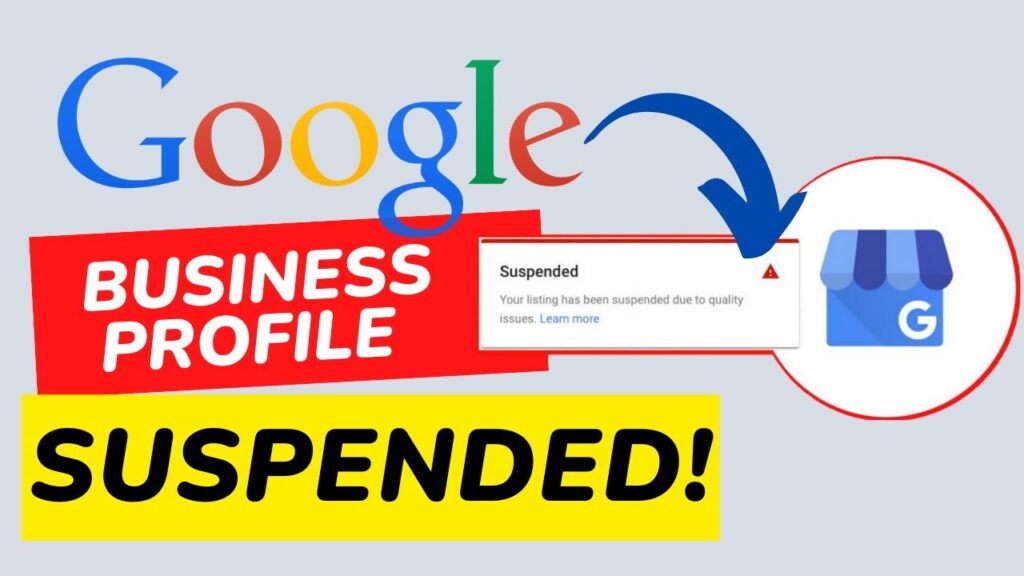
    When your Google Business Profile (formerly GMB) is suspended, it means your listing is either not compliant with Google’s policies, or its information triggers Google’s automated spam detection system. This removal prevents your profile from appearing in search results and Google Maps.

    So, what happens when my Google Business Profile is suspended?

    • Your business disappears from local search results

    • You lose access to insights, messages, and updates

    • Customers can’t find or contact your business online

    • Your GMB SEO ranking drops instantly

    Question: How can you fix your GMB ranking after a suspension? Keep reading.

    Common Reasons Why Google Suspended My Business Account

    Understanding the “why” behind the suspension is the first step to fixing it. Here are the most frequent causes:

    1. Violation of Google Guidelines

    Google has strict rules for business listings. If you violate them, your Google business page can be suspended. Common mistakes include:

    • Using PO Boxes or virtual addresses

    • Keyword stuffing in your business name

    • Operating in a non-eligible category

    • Using false information

    2. Duplicate Listings

    Creating multiple profiles for the same business can lead to confusion—and a suspended Google business profile.

    3. Inconsistent NAP (Name, Address, Phone)

    If your business name, address, or contact details differ across platforms, Google may suspect you’re a spam listing.

    4. Recent Google Business Update or Algorithm Change

    Sometimes, your listing may get flagged due to a Google’s update that changes how it detects spammy or incorrect listings.

    5. Unverified or Incomplete Listings

    If you haven’t completed creating a Google business page or left key information missing, your profile might be automatically suspended.

    “My Google My Business Account Is Suspended”—What Do I Do Now?

    Step 1: Check Your Email for the Suspension Notice

    Google often sends a notice with minimal information. Don’t panic. It’s standard procedure. Read it carefully and look for hints like “suspended due to quality issues.”

    Step 2: Log into Your Google Business Profile Manager

    Navigate to Google Business Profile Manager and sign in to check your account status.

    Step 3: Review Google’s Guidelines

    Go through the latest Google Business Profile guidelines thoroughly. Pay close attention to:

    • Business name rules

    • Address requirements

    • Category and service area eligibility

    Tip: Align your profile with Google’s latest guidelines before requesting reinstatement.

    How to Submit a Google Business Reinstatement Request (2025)

    Why Your Google Business Profile Suspended

    If your business is legitimate and complies with Google’s rules, you can file a reinstatement request.

    Here’s how to do it:

    1. Visit the GMB Reinstatement Form.

    2. Fill out accurate information and describe the issue clearly.

    3. Provide proof of legitimacy: utility bills, business licenses, storefront photos, etc.

    4. Submit and wait—Google usually replies within 3–7 days.

    Need help with the process? Just drop your query and get Free Consultation.

    Real Example: GMB Suspension Case Study

    Client: Local bakery in Mumbai
    Issue: Their business profile was suspended after updating their business name with extra keywords.
    Fix: We removed the keywords, updated their info, provided storefront photos, and filed a reinstatement request.
    Result: Reinstated in 5 days and back to top 3 map pack ranking using Local SEO and technical SEO strategies.

    How to Avoid Getting Your Google Business Profile Suspended Again

    Recovery is great—but prevention is smarter. Here’s how you can keep your GMB profile safe:

    1. Keep Info Accurate and Updated

    Regularly update my Google business listing with correct NAP and photos.

    2. Avoid Suspicious Edits

    Limit frequent changes to your business name, categories, or address—Google might flag it.

    3. Use Consistent Details Everywhere

    Make sure your business name, address, and phone number match across all platforms (website, directories, social media).

    4. Follow Every Google Business Update

    Stay in sync with the latest Google’s updates affecting Google My Business accounts.

    Bonus: How to Increased My Website Traffic Organically After a Suspension

    Losing your GMB traffic can be painful, but you can still attract traffic using these proven strategies:

    1. Optimize for Local SEO

    • Use location-based keywords

    • Add schema markup

    • Build local backlinks

    2. Focus on Technical SEO

    • Speed up your website

    • Ensure mobile responsiveness

    • Fix crawl errors and improve UX

    3. Utilize Other Listings

    While fixing your Google Business Profile, get listed on platforms like:

    • Bing Places

    • Yelp

    • Facebook Business

    Still facing issues? Let Listbusinessprofile help you increase your website traffic organically with a custom SEO plan. Just drop your query and get Free Consultation.

    Creating a Google Business Page Correctly in 2025

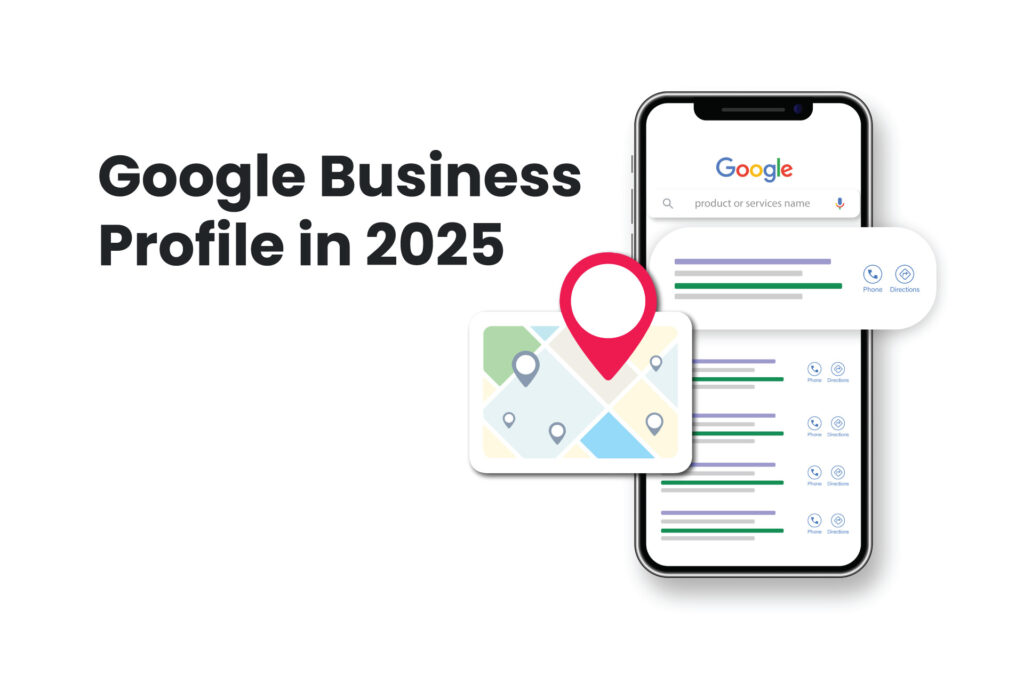
    google business profile 2025 -listbusinessprofile

    Avoid suspension from the start by doing it right. Here’s how:

    Step-by-Step to Create a Google Business Profile:

    1. Go to Google Business Profile Manager

    2. Enter your business name (don’t stuff keywords)

    3. Choose the correct business category

    4. Add your physical address

    5. Verify your listing by postcard, phone, or email

    6. Add photos, hours, and a business description

    Need help creating a Google business page? Contact Listbusinessprofile for setup and optimization services.

    Why Professional Help Matters

    Many businesses make small mistakes that lead to major issues like suspension. That’s why it’s smart to have experts like Listbusinessprofile on your side.

    Whether you need help with Google Business Profile ranking, Local SEO, Technical SEO, or profile recovery, our team ensures:

    ✅ 100% compliance with Google
    ✅ Fast reinstatement
    ✅ Organic traffic growth
    ✅ Higher conversions from local searches

    📞 Reach us today at (91)-888-710-4912 or drop your query for a free consultation. Let us fix your suspended Google Business Profile before it costs you more traffic and trust.

    Final Thoughts

    Having your Google My Business profile suspended can be frustrating and damaging to your online presence. But it’s not the end. With the right knowledge and support, you can restore your profile, regain your rankings, and drive local customers back to your business.

    Don’t wait—fix it now and grow faster with trusted professionals.