Tag: business ideas

  • Why Your Google Business Profile Isn’t Ranking on Google Maps — And How to Fix It Fast

    Why Your Google Business Profile Isn’t Ranking on Google Maps — And How to Fix It Fast

    Google Business Profile Ranking Fixes -Listbusinessprofile

    If you’re wondering why your Google Business Profile ranking is slipping or why you’re not showing up on Google Maps, you’re not alone. In 2025, the competition for local visibility has skyrocketed. Whether you’re a local shop owner, service provider, or digital marketer, understanding why your business isn’t ranking and how to fix it can be the game-changer for lead generation and revenue.

    So, what are the reasons behind poor rankings on Google Maps, and more importantly, how can you fix your GMB ranking fast?

    Let’s dive into the most common issues and proven strategies to increase Google Business Profile traffic today.

    What Is Google Business Profile Ranking and Why It Matters in 2025

    google my business optimization

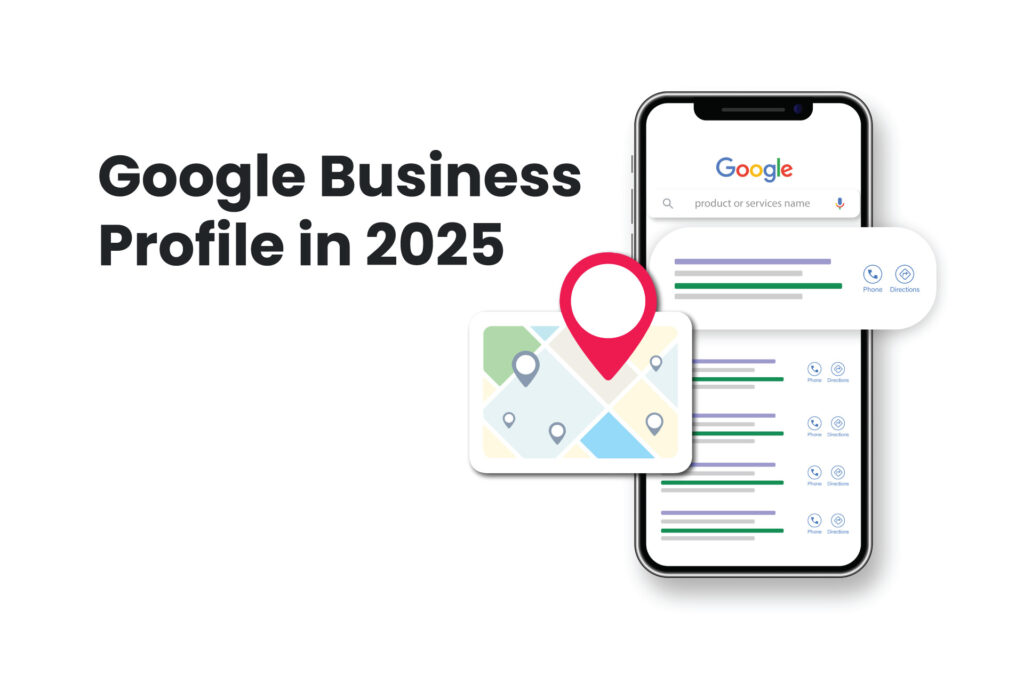
    Google Business Profile Ranking refers to how high your business appears in local search results, especially the Google Maps 3-pack. It plays a crucial role in determining how many potential customers see and click on your listing.

    88% of consumers who do a local search visit or call a business within 24 hours. If you’re not ranking, you’re invisible.

    Why Your Google Business Profile Isn’t Ranking

    Your business might be missing out on traffic for several reasons. Here are the most common problems:

    Your Business Profile Isn’t Fully Optimized Many businesses leave their profiles incomplete. Missing business hours, categories, or service areas can reduce your visibility.

    Inconsistent NAP (Name, Address, Phone Number) If your contact details vary across platforms like Yelp, Bing, and Yellow Pages, Google sees your listing as unreliable.

    You Have Few or Poor Reviews Low review counts or negative ratings tell Google that your business may not be trustworthy or relevant.

    Lack of Engagement on Your Google Business Page An inactive profile appears neglected. Businesses that post updates and respond to reviews tend to perform better.

    Weak Website SEO Even your connected website impacts your local ranking. Slow load speed, broken links, or no local content can harm your GMB visibility.

    You Haven’t Verified Your Profile Unverified profiles don’t rank. If your business isn’t verified via postcard, phone, or email, you’re missing a critical step.

    Spammy Practices or Suspensions Violating Google’s guidelines by keyword stuffing your business name or creating multiple listings can lead to penalties or suspension.

    How to Fix GMB Ranking Issues — Step by Step

    GBP Not Ranking -Listbusinessprofile

    Fixing your Google Business Profile ranking isn’t about hacks — it’s about following proven, white-hat strategies:

    Optimize Your Business Information

    Ensure every section of your profile is filled out with accurate and keyword-rich content. Use the right primary and secondary business categories, write an engaging business description, and upload quality images to establish trust with potential customers and Google.

    Keep Your NAP Consistent Across the Web

    Your Name, Address, and Phone Number must match exactly across all online directories and citations. Tools like Moz Local or BrightLocal help you manage and correct inconsistencies that could affect trustworthiness.

    Get More Customer Reviews — And Respond to Them

    Actively request reviews from satisfied customers and respond to each one. Engagement demonstrates reliability to Google and boosts user confidence. Thanking users or addressing concerns promptly makes your business more credible.

    Post Regularly on Your Profile

    Weekly updates, promotions, or service highlights on your Google Business Page show activity and relevance. Each post should include a call to action (CTA) like “Book Now” or “Call Today” to drive interaction.

    Add Local SEO Elements to Your Website

    Ensure your website contains location-specific keywords, internal links to service areas, and embedded Google Maps. Also, implement structured data (schema) for enhanced indexing and visibility.

    Use the Google Business Profile Manager

    Leverage the insights and analytics from the profile manager to monitor traffic, actions, and customer behavior. Adjust strategies based on what’s working and what’s not.

    Build Local Backlinks

    Reach out to local blogs, news outlets, or business directories for backlinks. Local citations and backlinks improve both your domain authority and local search rankings.

    Real-World Example: Local Spa Owner in Chicago

    A Chicago-based spa was buried under competitors until they made a few key changes. First, they rewrote their business description using targeted Local SEO keywords that matched their top services. They also posted weekly skincare tips, limited-time offers, and promotions to engage their audience. Every review—positive or negative—was responded to promptly, and they personally asked 20 loyal clients for new feedback.

    Result: Within four weeks, their Google Business Profile moved from page 3 to appearing in the local 3-pack, resulting in a noticeable spike in appointment bookings and calls.

    SEO Trends 2025 and Google’s Update Impact

    Google’s latest algorithm updates focus heavily on providing accurate, helpful, and mobile-friendly results. Here’s what matters most in 2025:

    User Intent: Google rewards listings that clearly answer user queries. Ensure your business description and services are aligned with what people are actually searching for.

    Engagement Signals: Google notices when users click, call, review, or engage with your profile. More engagement means better rankings.

    Mobile-First Indexing: Since most users search via smartphones, your website and business profile must be fully responsive and quick to load.

    Why Technical SEO Still Matters

    Even if your focus is on local SEO, your website remains a foundational element of your online presence. Google evaluates site speed, structure, and security as ranking factors. Here’s what to prioritize:

    • Ensure pages load in under 3 seconds.

    • Make your site fully mobile responsive.

    • Use clear, logical heading structures (H1 for titles, H2/H3 for subtopics).

    • Use HTTPS with a valid SSL certificate.

    A strong website backend supports better performance on Google Maps as well.

    How Listbusinessprofile Can Help You Rank

    At Listbusinessprofile, we help small and local businesses rank better by combining the latest best practices with personalized strategy. Our services include:

    • Setting up or optimizing your Google Business Page with all necessary elements.

    • Managing reviews, questions, and photo updates to keep your profile active.

    • Running weekly Google Posts with CTA-driven promotions.

    • Optimizing your connected website with local SEO, schema markup, and fast load speeds.

    • Monitoring your performance through Google Business Profile Manager and making continuous adjustments.

    Final Thoughts: Don’t Let Your GMB Profile Cost You Customers
    google Business Page

    If you’re not ranking on Google Maps or local search results, you’re missing valuable leads every day. From outdated info to weak engagement, every issue can be solved with the right approach.

    Whether you want to fix GMB ranking fast or build a long-term local presence, our team is here to guide you.

    Want to improve your Google Business Profile ranking or Increase Google Business Page Traffic today? Let Listbusinessprofile help you turn things around.

    Contact us now and start showing up where your customers are already searching.
  • SEO, AIO, GEO, AEO: Which One Actually Gets You Traffic

    SEO, AIO, GEO, AEO: Which One Actually Gets You Traffic

    SEO-AEO-GEO-listbusinessprofile

    In 2025, simply stuffing keywords into a webpage is no longer enough to get noticed by Google. The digital marketing space has evolved rapidly, and with it, four major strategies have emerged: SEO, AIO, GEO, and AEO. Each of these plays a role in helping businesses rank, gain visibility, and attract more qualified traffic.

    But what’s the difference between them—and more importantly, which one delivers real results?

    Let’s break it all down, using real examples, engaging questions, and smart takeaways that you can implement today.

    What Is SEO in 2025 and Why It Still Matters

    SEO, or Search Engine Optimization, remains the backbone of online visibility. But in 2025, it’s more complex than ever.

    SEO now focuses on:

    • Understanding user search intent

    • Building Experience, Expertise, Authority, and Trust (E-E-A-T)

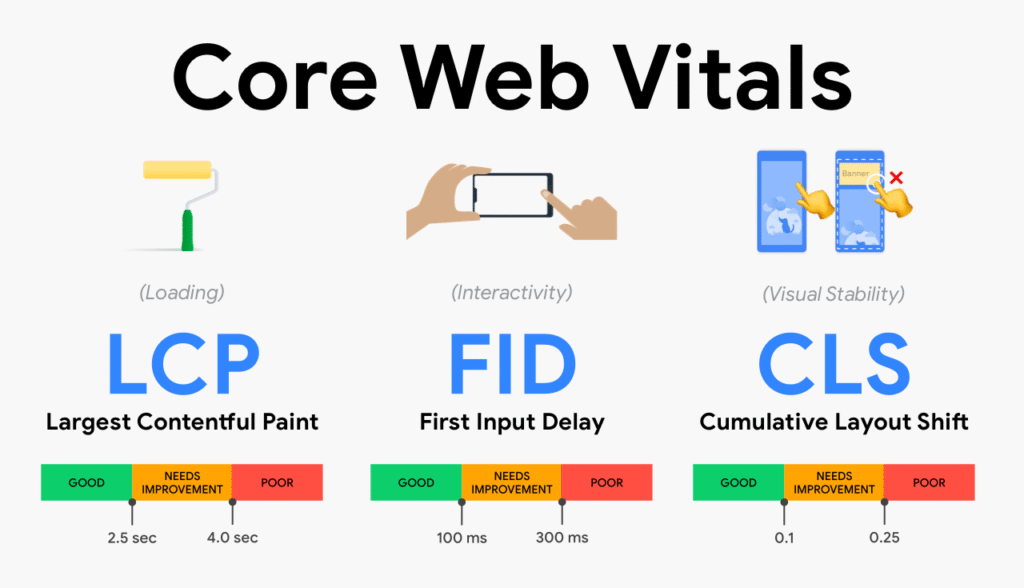
    • Speed, user experience, and Core Web Vitals

    • Using schema markup and structured data

    Example: A user searches for “best lawyer near me.” Google checks for a fast-loading site, consistent business details, solid reviews, and localized content—before showing results.

    ✅ Want to be seen? Start with a well-optimized website and Google Business profile.

    What Is AIO – AI Optimization in Real Life

    AIO (AI Optimization) is about aligning your content so that AI tools—like ChatGPT or Google Gemini—understand and elevate it.

    AIO helps content get indexed and summarized by AI properly. It includes:

    • Using clear, structured formats

    • Creating well-outlined content with AI prompts

    • Training AI models on your voice for brand consistency

    Example: A fitness coach uses AI tools to write structured workout blogs. These pieces rank higher as AI tools pull them into answers.

    Question: Are you using AI just to speed things up—or to create smarter content? 

    What Is GEO – Generative Engine Optimization

    What Is GEO – Generative Engine Optimization​

    GEO means optimizing content to appear in AI-generated search results, like Google’s SGE or Bing Chat.

    GEO involves:

    • Formatting content into Q&A or snippet-friendly style

    • Including FAQs and headings for easy parsing

    • Being concise but informative

    Example: A tax consultant writes blogs answering questions like “Can I deduct rent as a business expense?” These blogs are picked up by Google’s AI-generated snippets.

    Question: Are you writing for people, search engines—or both?

    AEO – Answer Engine Optimization in Practice

    AEO-VS-SEO

    AEO focuses on optimizing for voice search, smart assistants, and zero-click queries.

    With more users asking questions directly to their phones or smart speakers, you need:

    • Simple language and clear answers

    • FAQ pages with brief responses

    • Schema markup for voice search

    Example: A local bakery adds a Q&A page with questions like “Do you make gluten-free cakes?” The answer gets read aloud in voice searches.

    Question: Is your content mobile and voice-friendly?

    How to Optimize Your Google Business Profile in 2025

    Your Google Business Profile is a vital asset in local SEO.

    To drive leads and improve visibility:

    • Regularly post updates, promotions, and images

    • Use relevant questions and answers

    • Keep NAP details consistent

    • Encourage positive reviews

    Example: A pet groomer updates their profile weekly and answers user questions like “Do you handle large breeds?” Result: they appear first in Google’s local pack.

    Question: Are you making the most of your Google listing—or letting it go stale?

    Which Strategy Wins in 2025? SEO, AIO, GEO, or AEO?

    Each strategy has a unique role:

    • SEO: Must-have for websites and ranking on Google

    • AIO: Ideal for improving AI content visibility

    • GEO: Perfect for being featured in AI search experiences

    • AEO: Great for voice search and snippet dominance

    The best approach? Combine all four for maximum results.

    6 Ways to Combine SEO, AIO, GEO & AEO

    1. Start with SEO: Focus on clean code, fast sites, meta tags, and solid content.

    2. Add AIO: Use AI tools to brainstorm and refine—but humanize the final output.

    3. Incorporate GEO: Use subheadings, lists, and structured content.

    4. Integrate AEO: Add FAQs, speak in everyday language, and use rich snippets.

    5. Optimize Your Google Business Profile: Post weekly, respond to questions, and encourage reviews.

    6. Analyze Data: Use analytics and insights to track performance and iterate.

    “SEO in 2025 is no longer about one trick—it’s about using all tools smartly.”

    Recommended Tools for 2025 Optimization
    • Google Search Console for performance insights

    • ChatGPT / Gemini for content outlines

    • SEMrush / Ahrefs for SEO and competitor tracking

    • BrightLocal for local SEO performance

    • Google Business Manager for profile control

    Final Thoughts: Stop Guessing, Start Ranking

    Ranking in 2025 requires more than just traditional SEO. You need to be present in AI tools, answer engines, voice assistants, and generative results.

    Start with your content. Is it:

    • Clear and structured?

    • Designed for human AND AI understanding?

    • Helpful to answer questions in under 50 words?

    If not—it’s time to rethink your strategy.

    👉 At Listbusinessprofile, we help brands combine SEO, AIO, GEO, and AEO into one powerful growth system. Ready to be found everywhere your customers search?

    Let’s get you ranked through best digital marketing strategies.

  • 3 AI Tools You Can Master This Weekend to Make Passive Income!

    3 AI Tools You Can Master This Weekend to Make Passive Income!

    In today’s fast-paced digital world, the idea of earning passive income has never been more appealing. With the rise of Artificial Intelligence (AI), even beginners can now leverage smart tools to generate income streams with minimal effort. The best part? You don’t need to be a tech genius. You can master these tools in just a weekend!

    At Listbusinessprofile, we believe in empowering individuals and businesses with practical knowledge. This article explores three powerful AI tools that you can start using today to build sustainable, passive income online.

    Why Consider AI Tools for Passive Income?

    Have you ever wondered: “Is it really possible to make money while I sleep?” Yes, and AI makes it easier than ever.

    • Efficiency: AI tools automate repetitive tasks.

    • Scalability: One-time setups can generate long-term returns.

    • Accessibility: Many AI tools are free or low-cost and beginner-friendly.

    So let’s dive into the top 3 AI tools that you can master this weekend to start your passive income journey!

    1. ChatGPT for Content Creation and Affiliate Marketing

    ChatGPT for Content Creations

    What is ChatGPT?

    ChatGPT is an advanced AI language model developed by OpenAI. It can generate human-like text for blogs, emails, ads, and more.

    How Can It Help You Earn Passive Income?

    Use ChatGPT to:

    • Write blog posts embedded with affiliate links.

    • Create ebooks or guides to sell on platforms like Gumroad or Amazon.

    • Generate product descriptions for dropshipping or eCommerce stores.

    Example: Imagine creating a blog titled “Top 5 Fitness Gadgets in 2025.” Use ChatGPT to generate the content, add Amazon affiliate links, and drive traffic through SEO. Every time someone buys through your link, you earn a commission.

    Question: Can you automate a blog and still make money? Absolutely — with ChatGPT, it’s easier than ever!

    SEO Tip: Use long-tail keywords like “AI content writing for affiliate blogs” or “earn with ChatGPT blog posts.”

    2. Canva + Magic Design for Digital Product Creation

    Canva + Magic Design for Digital Product Creation

    What is Canva’s Magic Design?

    Canva’s Magic Design uses AI to help you create professional graphics, ebooks, presentations, and templates within minutes — even with zero design experience.

    How to Monetize This Tool?

    • Create digital templates (planners, Instagram posts, resumes).

    • Sell on marketplaces like Etsy, Gumroad, or Creative Market.

    • Offer freelance design services using pre-built templates.

    Example: Design a 30-day fitness challenge planner using Canva and sell it as a downloadable product. With some clever marketing and SEO, this one-time creation could generate daily sales.

    Question: What if you could make money every time someone downloads your design?

    SEO Keywords to Use: “digital planner template for Etsy,” “sell Canva templates online,” “passive income with digital products.” 

    3. Pictory for Video Content & YouTube Automation

    What is Pictory?

    Pictory is an AI video generation tool that turns text or blog content into engaging short-form videos. Perfect for YouTube automation and video marketing.

    Why Use It?

    • No need for cameras or editing skills.

    • Convert your existing content into monetized videos.

    • Grow YouTube channels that earn ad revenue.

    Example: Turn a blog about “Top 10 Work-from-Home Tools” into a video using Pictory. Post it on YouTube and monetize with ads, affiliate links, or sponsorships.

    Question: What if one 3-minute video could earn you money every single day?

    Hot Keywords: “AI video generator,” “YouTube automation tools,” “how to create faceless YouTube channel.”

    Additional Tips for Success

    🔍 Master SEO Early

    SEO (Search Engine Optimization) is the fuel behind passive traffic. Learn how to:

    • Use tools like Ubersuggest or Google Keyword Planner

    • Focus on long-tail, low-competition keywords

    • Optimize metadata and titles

    🧠 Leverage Your Skills

    Combine AI with your strengths. Are you good at teaching? Use ChatGPT to script online courses. Are you a designer? Use Canva to create product bundles.

    📅 Stay Consistent

    AI helps, but consistency is key. Set weekly goals — one blog post, one video, one product.

    Bonus: How to Combine All 3 Tools

    Want to supercharge your passive income potential? Here’s a powerful strategy:

    1. Use ChatGPT to write an article.

    2. Convert the article into a Pictory video.

    3. Design a related template using Canva and promote it.

    Example:

    • Article: “How to Plan a Productive Week”

    • Video: Animated tips from the blog

    • Digital Product: Weekly planner template

    Monetize all three on your blog, YouTube, and Etsy. Now you’ve got 3 income streams from 1 idea.

    Real-Life Success Stories
    • A digital creator used ChatGPT to write 15 blog posts, embedded affiliate links, and now earns $500/month passively.

    • A freelancer designed Canva resumes and made $1,000+ in her first month on Etsy.

    • A YouTuber created faceless videos using Pictory and grew to 10,000 subscribers in 3 months.

    These aren’t fairy tales. They’re real people making real money using AI tools.

    Final Thoughts

    Passive income doesn’t mean no effort — it means smart effort. And with AI tools like ChatGPT, Canva, and Pictory, creating sustainable online income has never been more accessible.

    At Listbusinessprofile, we’re dedicated to sharing practical strategies for entrepreneurs, freelancers, and anyone looking to build digital assets. So why not dedicate one weekend to mastering these tools? Your future self will thank you.

  • Boost Local Visibility: Google Business Profile SEO Tips for 2025

    Boost Local Visibility: Google Business Profile SEO Tips for 2025

    In an increasingly digital world, local search has become the frontline of customer acquisition. When users search for services “near me,” Google Business Profile SEO (formerly SEO Google My Business) determines whether your business appears in those coveted local pack results.

    In 2025, competition for local attention has never been fiercer.

    To stay ahead, you need a robust, up-to-date optimization strategy that leverages the latest GBP features, emphasizes Local SEO Strategies, and delivers real value to both Google and prospective customers.

    10 Tips To Boost Your GBP Optimization

    10 Tips To Boost Your GBP Optimization -listbusinessprofile

    Below, we summarize ten actionable tips backed by best practices and emerging trends to supercharge your GBP Optimization and drive measurable local growth.

    1. Fully Complete Every Profile Field

    Why it matters: Google rewards profiles that are complete and accurate. A fully fleshed-out profile signals to Google’s algorithm and searchers that your business is active, trustworthy, and relevant.

    Action steps:

    • Business Name & Categories: Use your official legal name. Select one primary category that best defines your core offering (e.g., “HVAC contractor”) and up to ten secondary categories to capture adjacent services (e.g., “Air duct cleaning,” “Heating repair”).
    • NAP Consistency: Ensure your Name, Address, and Phone Number (NAP) exactly match across your website, social profiles, and local directories. Discrepancies dilute your Google Business SEO Optimization and confuse search engines.
    • Attributes & Specialties: In 2025, GBP offers dozens of attributes (e.g., “Wheelchair accessible,” “Veteran-led,” “Free wi-fi”). Choose those most relevant, and use the “Services” or “Products” sections to list pricing tiers, SKU numbers, or specialties.


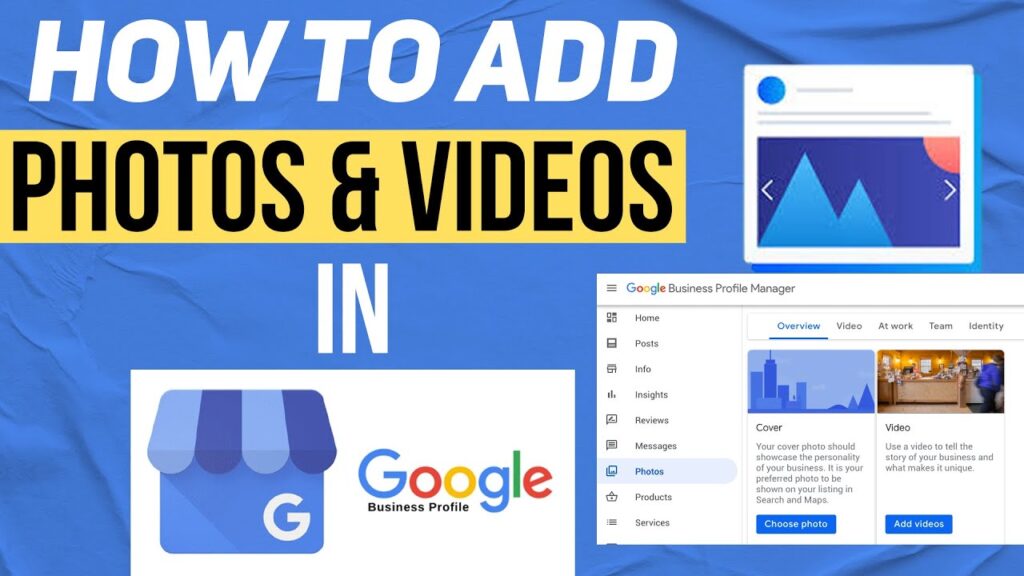
    2. Leverage Engaging Visual Assets

    Why it matters: Listings with photos and videos see significantly higher engagement, up to 50% more clicks to websites and 40% more direction requests.

    Action steps:

    • Exterior & Interior Shots: Provide clear, well-lit images of your storefront (so customers can identify your location) and interiors (to set expectations).
    • Team & Process Videos: Short vertical videos (15–30 seconds) showcasing your team in action or behind-the-scenes processes humanize your brand and encourage customer trust.
    • 360° Virtual Tours: If you serve higher-ticket services (e.g., real estate, auto dealerships), a virtual tour can drastically improve time-on-listing and conversion rates.

    3. Publish Regular GBP Posts & Offers

    Regular GBP Posts & offers -listbusinessprofile

    Why it matters: Fresh content signals to Google that your business is alive and well. In 2025, businesses posting weekly saw a 20% bump in map-pack rankings.

    Action steps:

    • Event & Offer Posts: Use GBP Posts to highlight limited-time promotions, seasonal events, or new product launches.
    • COVID-19 & Safety Updates: Though the acute phase of the pandemic is over, customers still appreciate transparency around health measures, so continue updating any relevant safety protocols.
    • “What’s New” Video Clips: Embed a 15-second teaser linking back to your blog or social channel, improving cross-channel engagement.

    4. Cultivate & Respond to Reviews

    Why it matters: Reviews are both a ranking factor and a powerful social proof mechanism. Google values recent, positive reviews highly when determining local pack placements.

    Action steps:

    • Automate Review Requests: Integrate your CRM or point-of-sale system to send a review invitation via SMS or email immediately after service completion.
    • Respond within 48 Hours: Thank positive reviewers by name and address negative feedback with empathy and a path to resolution. Personalization is key to avoiding copy-and-paste replies.
    • Flag Inappropriate Reviews: If a review violates Google’s policies (spam, hate speech, off-topic), flag it for removal.

    5. Harness Local Keywords & Geo-Modifiers

    Why it matters: Google’s AI increasingly matches search intent with highly specific, location-augmented queries.

    Action steps:

    • Keyword Research: Use tools like Google Keyword Planner or Ahrefs to find high-volume, low-competition local terms (e.g., “best gluten-free bakery in Seattle”).
    • Natural Integration: Embed these keywords in your business description, Services/Specialties section, and GBP Posts. For example: “At BlueWave Plumbing, our emergency plumber in Seattle team is on call 24/7.”
    • Landing Page Alignment: Ensure your website’s service pages reflect the same keywords and NAP consistency to bolster on-site Local SEO Strategies.

    6. Optimize for Mobile & Core Web Vitals

    Why it matters: Over 60% of local searches happen on smartphones. Google’s mobile-first indexing means your website’s performance directly impacts your GBP performance.

    Action steps:

    • Click-to-Call & Directions Buttons: Verify that phone numbers and “Get Directions” links function seamlessly on all devices.
    • Core Web Vitals: Use Google Search Console to monitor LCP (Largest Contentful Paint), FID (First Input Delay), and CLS (Cumulative Layout Shift). Aim for sub-2.5s LCP, sub-100 ms FID, and CLS <0.1.
    • AMP & PWA: Consider Accelerated Mobile Pages (AMP) or Progressive Web App (PWA) implementations for key service pages to boost load speeds and user engagement.

    7. Implement Messaging, Bookings, & Q&A

    Why it matters: Direct customer engagement features boost click-through rates and on-listing conversions.

    Action steps:

    • Messaging: Turn on GBP Messaging and assign team members to respond within 15 minutes. Use Saved Replies for common inquiries.
    • Booking Integrations: Link a scheduling partner (e.g., Calendly, Acuity) or your internal booking system so customers can secure appointments directly from your listing.
    • Proactive Q&A: Pre-populate frequently asked questions (e.g., “Do you offer same-day service?”) and reply promptly when new questions appear.

    8. Add Products & Services

    Why it matters: GBP’s Products tab (and Services list) enables you to showcase pricing, descriptions, and even product images, keeping customers engaged without leaving Google.

    Action steps:

    • Product Catalog: List top-selling items with SKU, price, and short description.
    • Service Packages: Bundle services with clear scope and pricing.
    • Seasonal & Promotional Items: Highlight holiday specials or limited-edition products to create urgency.

    9. Monitor Performance with Insights & Analytics

    Why it matters: Continuous improvement relies on data. GBP Insights uncovers what drives clicks, calls, and direction requests.

    Action steps:

    • Key Metrics: Track queries used to find your listing, total searches, views by map vs. search, and customer actions (calls, website clicks, direction requests).
    • U-TM Parameters: Append UTM tags to your website URL in GBP so you can measure traffic in Google Analytics. For example: ?utm_source=GBP&utm_medium=organic&utm_campaign=local-seo.
    • Adjust & Iterate: If a certain service gets little traction, refresh its description, add photos, or promote it via a dedicated GBP Post.

    10. Stay Ahead with AI & Emerging Features

    AI & Emerging Features

    Why it matters: Google regularly rolls out new GPT-powered suggestions, automated post creation, and local deal highlights.

    Action steps:

    • AI-Assisted Descriptions: Test Google’s AI suggestions for your business descriptionvthen refine manually to ensure accuracy and brand voice.
    • Automated Highlights: Opt in for beta features like “Best Way to Reach You” snippets, so Google can dynamically show your top contact method.
    • Local Li…fixtures: Watch for features such as AI-summarized review highlights that may soon appear in your profile.

    Conclusion

    Google Business Profile SEO in 2025 demands a holistic, proactive approach. By completing every field, implanting high-quality visuals, consistently publishing fresh content, and leveraging advanced features like messaging and AI suggestions, you’ll earn higher local pack rankings and foster deeper customer connections.

    Remember: Local SEO Strategies are not “set and forget.” Regularly audit your NAP, refresh your photos, solicit and respond to reviews, and analyze Insights to keep your profile sharp and competitive.

    Start implementing these GBP Optimization tips today and watch your local visibility, foot traffic, and revenue grow tomorrow.

    Frequently Asked Questions
    1. How often should I update my Google Business Profile?
      At a minimum, review your profile monthly. Immediately update whenever you change hours, phone numbers, or service offerings.
    2. Can I transfer ownership of a GBP listing?
      Yes. Under the “Users” section, you can add a new owner or manager. Ownership transfers require acceptance by the new owner.
    3. Is there a character limit for the business description?
      Yes, approximately 750 characters. Focus on 250–300 characters for your primary messaging to ensure it’s fully visible without truncation.
    4. What if I serve multiple locations?
      Create a separate GBP listing for each unique physical location. Consolidate performance monitoring under a Google Business Profile optimization Manager account.
    5. Do GBP Posts expire?
      Event posts remain live up to the event date + 1 day; offer posts last for 7 days by default. Regular posting keeps your content in front of searchers.
  • Top 10 Google Business Profile Features You Should Use in 2025

    Top 10 Google Business Profile Features You Should Use in 2025

    To stand out in local search results in 2025, leveraging your Google Business Profile (previously known as Google My Business) is more essential than ever. With continuous GBP updates in 2025, Google has rolled out exciting new GBP tools that are reshaping how local businesses engage with customers. At ListBusinessProfile, we help you stay ahead by exploring the top 10 features you should be using right now to grow your visibility, reputation, and customer base.

    Why Are Businesses Struggling to Get Visibility in Local Search?

    Struggling to get your business seen in local search rankings? Do you feel like your business listing is invisible while your competitors dominate the map pack? You’re not alone. The key might lie in how well you’re leveraging the latest Google Business Profile features.

    1. AI-Powered Business Insights

    Google’s integration of AI into business insights is one of the most revolutionary Google Business Profile features. Business owners can now access predictive analytics to understand user behavior, peak engagement times, and trending keywords. This allows you to plan your marketing and posting strategy more effectively.

    Are you making data-driven decisions for your business profile?

    2. Enhanced Messaging Capabilities

    With the GBP updates in 2025, messaging has become smarter and faster. The new messaging tool supports auto-replies, suggested responses, and even chatbot integration to improve response time and customer experience.

    Are delayed replies costing you potential customers?

    3. Video Cover and Short Reels

    First impressions matter! Now you can upload short video reels or a video cover to your my business profile, capturing attention instantly. These visuals improve engagement and help potential customers understand your brand better.

    Do your photos speak louder than words—or are you still using outdated images?

    4. Schedule Promotions and Offers

    Google has introduced a tool to help businesses schedule future promotions directly from their google my business account. Plan your discounts, events, or special offers in advance and automate their release for maximum impact.

    Wouldn’t it be great to run promotions while you sleep?

    5. Q&A Auto-Moderation

    Save time with the new Q&A auto-moderation feature. It filters inappropriate content, highlights helpful questions, and suggests automated replies based on your FAQs. This keeps your profile clean and user-friendly.

    Are negative or spammy questions hurting your profile’s reputation?

    6. Customer Sentiment Analysis

    Sentiment analysis tools are now available directly in your Google Business Profile dashboard. They scan reviews and comments to give you a clear idea of customer satisfaction levels and help you respond more effectively.

    Curious about how your customers truly feel about your brand?

    7. Multi-Platform Syncing

    With this new feature, your my business profile can now sync across platforms like Google Maps, YouTube, and even your website widgets. Maintain a consistent brand presence everywhere.

    Is your branding consistent across all customer touchpoints?

    8. Live Booking Integration

    Need to increase bookings? Google has rolled out live booking integrations for salons, clinics, restaurants, and more. Customers can now book services directly from your profile in real time.

    Is your booking process simple and seamless for potential customers?

    9. Custom Service Menus

    Whether you’re in hospitality, fitness, or consultancy, the new custom service menu allows you to list your offerings clearly, making it easier for clients to choose and engage. Despite its potential, this powerful new GBP tool remains overlooked by many businesses.

    Are customers guessing what services you offer—or are you guiding them clearly?

    10. Trusted Reviews Boost

    Google now prioritizes verified reviews more than ever. The update encourages business owners to gather and display genuine feedback, giving more weight to trusted voices in local rankings.

    Do your reviews reflect your real reputation—or are you missing key testimonials?

    Why Now Is the Perfect Moment to Get Your Business on Google

    Still haven’t claimed your profile? It’s never been easier to list my business on Google with ListBusinessProfile. We streamline the entire process, from setup to optimization, ensuring your google my business account is primed for local success.

    Ready to Take Control of Your Online Presence?

    Your Google Business Profile is more than just a listing—it’s your storefront, your first impression, and your digital handshake. With GBP updates in 2025, you can’t afford to ignore these essential features.

    Let ListBusinessProfile help you unlock the full power of your profile. Whether you’re looking to manage your google my business account, optimize your my business profile, or explore the best new GBP tools, we’ve got your back.

    Start today—list your business on Google and grow with confidence!

  • How to Optimize Your Google Business Profile in 2025: A Step-by-Step Guide

    How to Optimize Your Google Business Profile in 2025: A Step-by-Step Guide

    In 2025, if your business isn’t showing up on Google, you’re missing out on massive growth opportunities. Your Google Business Profile (formerly known as Google My Business) is the most powerful free tool for increasing visibility, gaining customer trust, and driving local traffic—both online and in-store.

    But how do you fully optimize your profile to stand out in the crowded search results? Let’s break it down, step-by-step.

    What Is a Google Business Profile and Why Does It Matter?

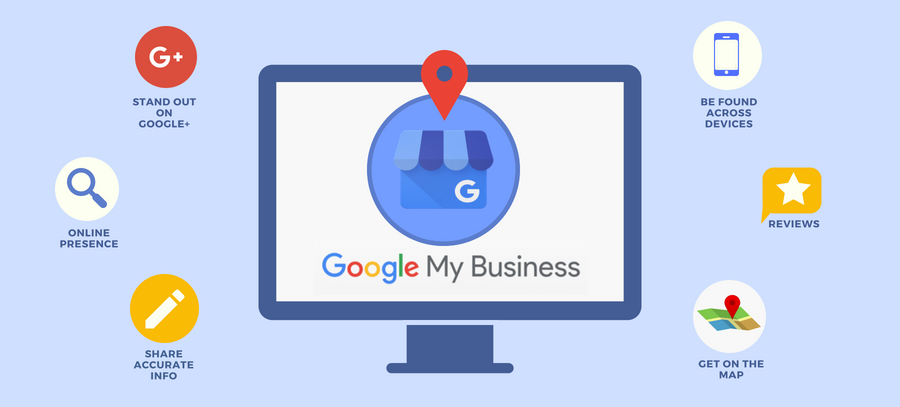
    Your Google Business Profile is your digital storefront on Google Search and Maps. It allows customers to find your location, contact you, read reviews, view photos, and much more—all before ever visiting your website.

    Whether you’re managing your Google My Business account for the first time or looking to scale your local SEO in 2025, optimization is key.

    So, what are the exact steps you need to follow to truly stand out?

    google business profile 2025 -listbusinessprofile

    Step 1: Claim and Verify Your Google Business Profile

    Before you can optimize anything, you need to claim your profile. If you haven’t already:

    1. Go to Google Business Profile Manager

    2. Click “Manage now” and sign into your Google My Business account

    3. Search for your business or click “Add your business to Google”

    4. Follow the prompts to verify ownership via email, phone, or postcard

    Question: Already listed but haven’t claimed it yet? What are you waiting for?

    Claiming your profile gives you full control over what users see when they search for your business.

    verify google business profile manager -listbusinessprofile

    Step 2: Complete Every Section of Your Profile

    Google favors complete profiles. When you fully fill out your Google business listing, it not only improves visibility but also boosts customer trust.

    Be sure to complete:

    • Business Name

    • Address

    • Phone Number (NAP)

    • Website URL

    • Business Hours

    • Category

    • Services Offered

    • Business Description

    • Photos & Videos

    Pro Tip: Use your most relevant keywords naturally in the business description to boost SEO. For example, mention “We offer premium web design services in downtown Chicago.”

    Step 3: Choose the Right Category & Attributes

    Selecting the correct category can make or break your visibility. Google uses this to determine which search results to show your business in.

    Are you a bakery, a tech company, or a plumber? Be as specific as possible.

    Then, add attributes like “wheelchair accessible,” “LGBTQ+ friendly,” or “free Wi-Fi” based on your business type. These details appear on your Google business page and give users more reasons to choose you.

    Step 4: Add High-Quality Photos and Videos

    Visuals convert. Businesses with photos receive 42% more requests for directions and 35% more clicks to their websites.

    Make sure to:

    • Upload your logo and cover photo

    • Add real photos of your team, products, office, or location

    • Include short videos (under 30 seconds) showcasing services or customer testimonials

    Keep everything updated and relevant. Customers want to see what your business looks like today—not last year.

    Step 5: Enable Messaging and Update Business Hours

    Want to boost conversions? Turn on messaging within your Google Business Profile Manager so potential customers can text you directly from your listing.

    Also, always keep your business hours accurate, including holiday hours. Outdated info hurts credibility and leads to customer frustration.

    Question: Ever searched for a business, saw they were “open” on Google, drove there—and they were closed? Don’t be that business.

    Step 6: Collect and Respond to Reviews

    how to add google profile reviews and rating maintenance -listbusinessprofile

    Reviews are your reputation currency. Encourage happy customers to leave 5-star ratings and write detailed feedback on your profile.

    Once they do, reply to every review—positive or negative. It shows you care and increases engagement on your Google business listing.

    SEO Tip: Respond using relevant keywords, such as “Thank you for choosing our web design service in Chicago!”

    Step 7: Post Regular Updates and Offers

    Just like social media, your Google business page allows you to publish posts. Share updates, offers, new services, or events. These appear right on your listing and can drive more actions.

    What should you post?

    • Special discounts or promos

    • Behind-the-scenes videos

    • Blog article links

    • Product or service launches

    Use these posts to stay relevant and show Google that your my business profile is active and up-to-date.

    Step 8: Track Insights and Make Improvements

    Google provides detailed insights via the Google Business Profile Manager, such as:

    • How customers found your listing

    • What keywords they used

    • Where they’re coming from

    • What actions they took (calls, website visits, directions)

    Use this data to refine your strategy. See what’s working—and do more of it.

    Question: Are you reviewing your data regularly, or are you guessing what your audience wants?

    Step 9: Add Products or Services

    If you offer specific products or services, showcase them on your Google Business Profile. Add names, descriptions, pricing, and images. This is especially useful for local SEO and voice search.

    This not only improves keyword relevance but also allows your audience to better understand what you offer at a glance.

    Step 10: Sync Your Business with Other Google Services

    Integrate your listing with other tools like:

    • Google Ads

    • Google Analytics

    • Google Maps

    • YouTube

    This creates a full-circle marketing ecosystem, giving you more data, more control, and better visibility. When your digital presence is aligned across platforms, Google ranks you higher in local search witg Google Ads.

    Ready to List Your Business on Google the Right Way?

    If you’re asking, “How do I list my business on Google and get real results?”—it starts with an optimized profile.

    Take the time to complete your listing, upload visuals, respond to reviews, and use every feature Google offers. From creating a Google my business account to regularly managing your Google business profile, every action counts.

    The best part? It’s free—but only if you use it wisely.

    Final Thoughts: Is Your Google Business Profile 2025-Ready?

    2025 is all about smart visibility. Your Google Business Profile is no longer just an option—it’s a necessity.

    Use this guide to update your profile and ensure it reflects the best version of your business. Remember, customers are searching every day for services you offer. Make sure your business is the one they find and trust.

    Need help optimizing your Google business page? Don’t hesitate to reach ListBusinessProfile, digital marketing experts who can manage your profile professionally and drive real traffic to your door.